
Blog
Trading Journal FAQ: 21 Questions Answered (2026)
Clear answers to 21 trading journal FAQ traders ask most: what to record, Excel vs apps, profit factor, reviews, and a free way to start. No credit card.
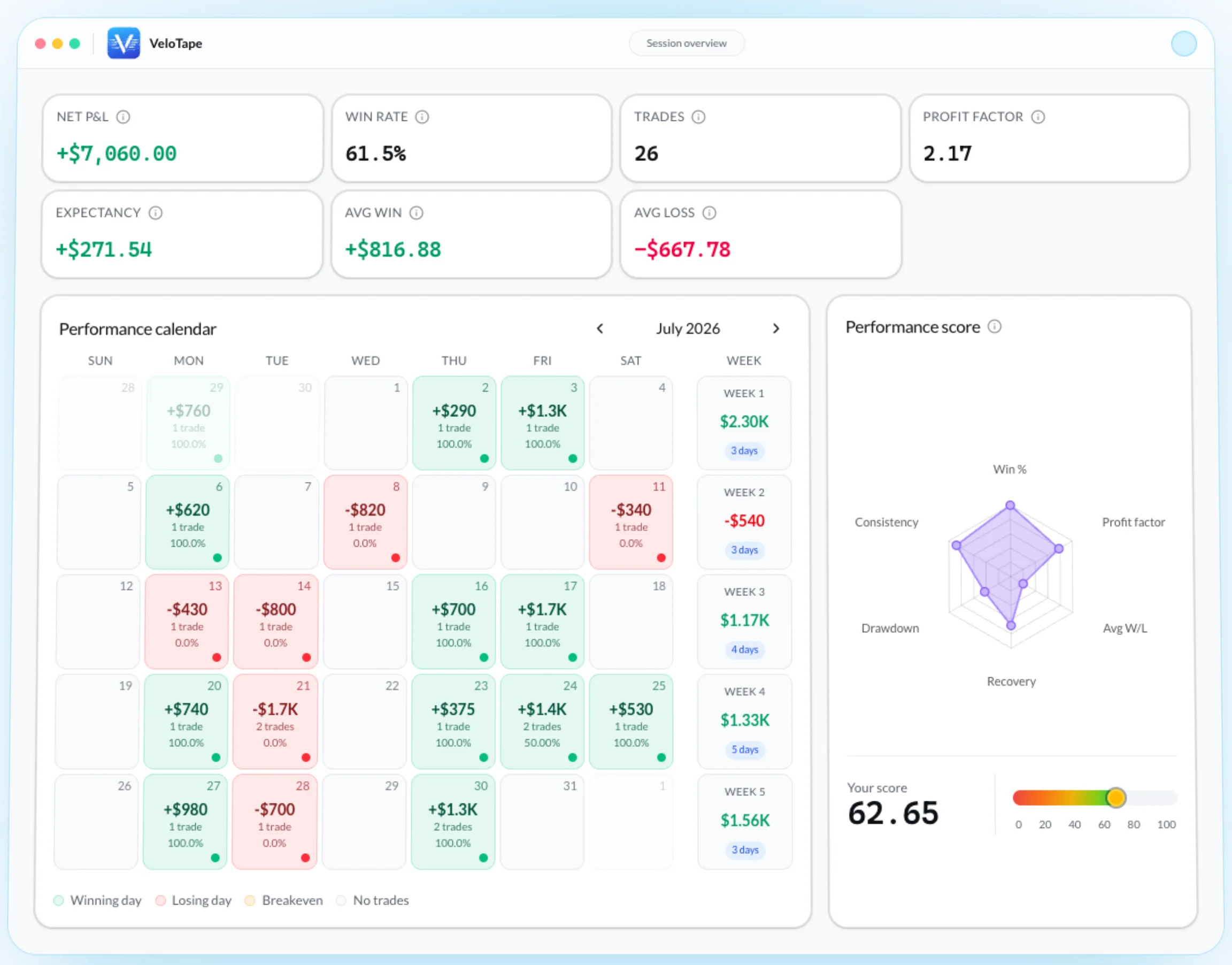
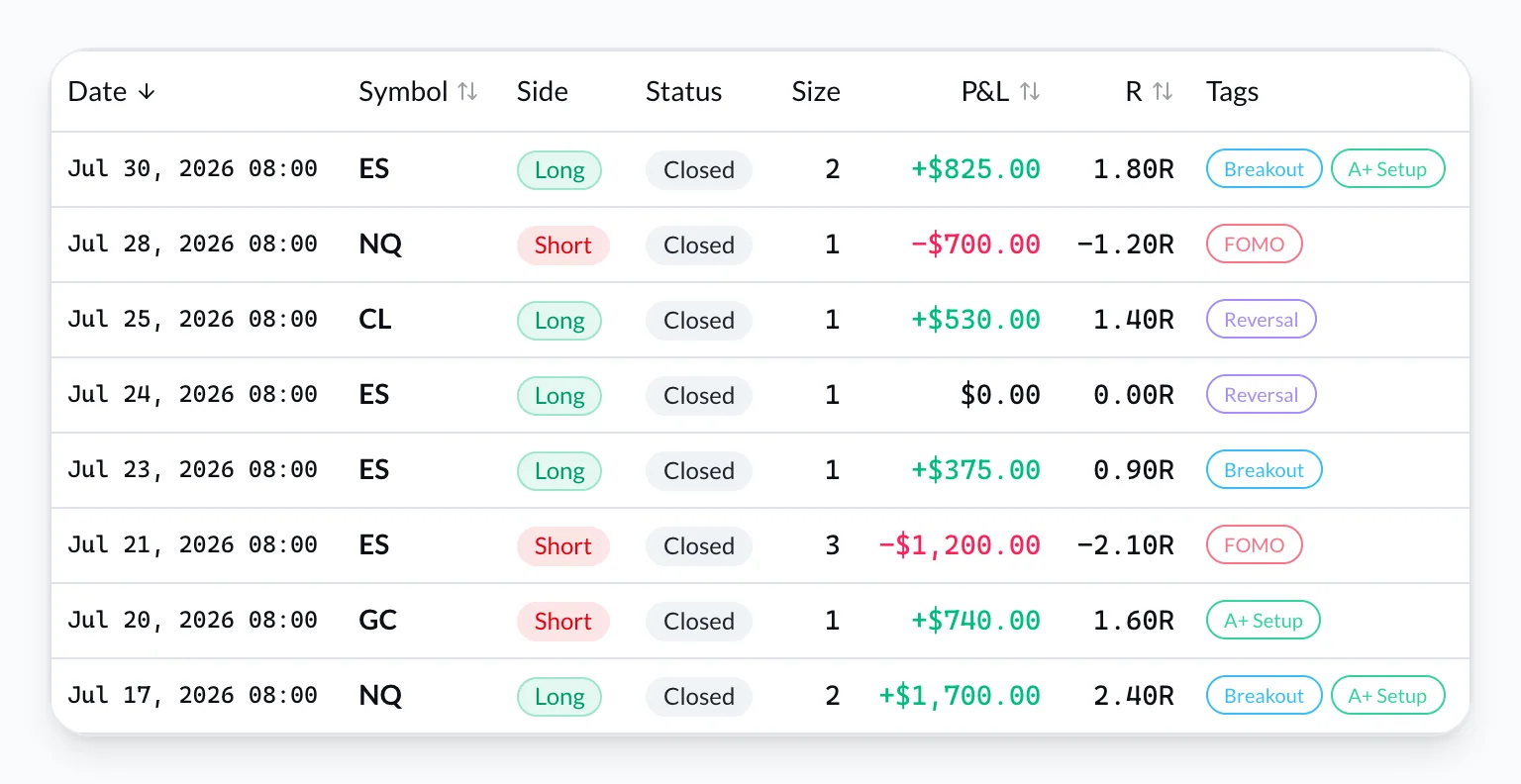
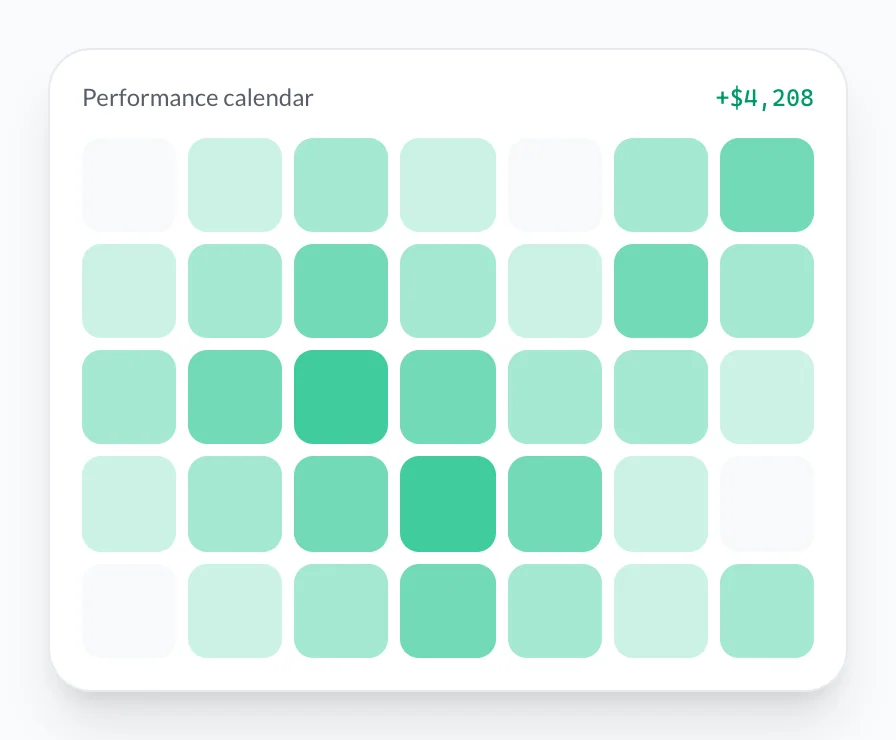
Screenshots show the VeloTape product interface (sample data for illustration).
Most trading journal FAQ pages either sell an app or repeat “just be disciplined.” Traders actually search narrower questions: what to write, whether Excel is enough, how often to review, and which numbers matter.
This hub answers 21 of those questions in one place. Short answers first; deeper guides linked when a topic already has a full article.
If you have not started yet, the free trading journal guide is the 10-minute setup. The routine lives in how to keep a trading journal.
Getting started
What is a trading journal?
A trading journal is a structured record of every trade you take — not a diary of market opinions.
The execution layer is recoverable from the broker: symbol, side, times, prices, size, fees, net P&L. The review layer is not: setup tag, whether you followed the plan, and one sentence on why you entered. Without that second layer, statements only prove you traded. They do not tell you whether the trade belonged in your playbook.
The job of the journal is a feedback loop: plan → fill → note → weekly pattern → one rule change. If a field never changes a future decision, delete it.
Is a trading journal worth it for beginners?
Yes — beginners get the most from a journal because errors cluster early: oversized size, trading the open on FOMO, moving stops, skipping the plan after two losers.
You do not need 50 metrics. You need enough data to see the same leak twice. A minimal template plus a weekly 20-minute review is enough. Traders who wait for a “real system” before journaling wait through the exact sample they needed.
Start free. Add fields only after logging survives a red week. See is a journal worth it for beginners in the pillar guide.
Do I need a trading journal if I only take a few trades a month?
If the goal is improvement, yes. Swing traders forget thesis and invalidation faster than they think. Four trades with honest notes beat forty fills with no tags.
What you should not expect at low volume is stable statistics. Profit factor and win rate by setup need sample size (see below). Journal for memory and process first; treat dashboards as directional until the count grows.
How do I start a trading journal in 10 minutes?
- Pick a format you will open tomorrow — spreadsheet or a free journal app.
- Import or type the last 30 days of fills (CSV if you can).
- Add three setup tags. Not fifteen.
- After each session: confirm fills, tag, one sentence on the worst trade.
- Block 20 minutes this weekend for a calendar review.
Most journals die in three weeks because day-one templates look like tax forms. Execution data first; screenshots and psychology after the habit sticks.
Create a free VeloTape account — no credit card. CSV import runs on Free.
How much does a trading journal cost?
| Path | Typical cost | Honest fit |
|---|---|---|
| Excel / Google Sheets | Free | Low volume, you like formulas |
| Dedicated free tier | $0 | CSV or limited history; check trade caps |
| Paid journal | ~$15–60 / month | Broker sync, deeper reports, less DIY |
Prices move. Our last comparison pass is in best trading journal software 2026 — verify on each vendor’s site before you pay.
VeloTape: Free includes CSV import, performance calendar, core metrics, and Prop Desk with no credit card. Broker auto-sync (IBKR, Tradovate, Apex) is on Essential. We are a journal, not a $50 “AI coach” story — if you need that, compare tools on that criterion.
What to record
What should I write in a trading journal?
Must-have for every fill: date/time, symbol, direction, entry, exit, size, fees, net P&L, one setup tag.
Optional after ~ten consistent sessions: plan adherence (yes / partial / no), one-sentence rationale, session, invalidation.
Full field list and a copy-paste template: what to record in a trading journal. If a field does not help you answer “Would I take this again under my rules?”, drop it.
Should I journal every trade or only losers?
Every trade. Skipping winners inflates the story you tell yourself and breaks win rate, profit factor, and setup breakdowns.
The “small scratch” you skip is often the leak: chasing, cutting winners early, or adding size. Broker import removes the temptation to curate the log.
Do I need screenshots in my trading journal?
Not on day one. Charts help when you review a setup on the weekend. They become an excuse to skip logging after a long session.
Order of operations: fills in the journal the same day → tags and one note → attach a chart later to the trades you will actually study. VeloTape supports attachments on Free; they are optional, not the product.
Should a trading journal include emotions?
Eventually, with a four-word vocabulary (for example: focused, tired, frustrated, FOMO). Free-text “I felt bad” does not sort.
After 30 days, group P&L by that tag. If “frustrated” is consistently red, the rule is operational: no extra size in that state. This is process control, not therapy, and it is not investment advice.
Can I import trades instead of typing every field?
Yes — and you should once volume rises. CSV or Flex/API sync belongs on the execution layer. You still own tags and notes.
On VeloTape, CSV import is on Free (monthly import cap applies). Auto-sync is Essential. Manual entry exists for exceptions, not for 40 day-trades.
Spreadsheet, free tools, and IBKR
Can I use Excel as a trading journal?
Yes. Excel or Google Sheets is a valid trading journal at low volume or when you want full formula control.
It breaks when (1) typing exceeds ~30–40 minutes a week, (2) you need a performance calendar without babysitting heatmaps, or (3) you trade multiple accounts and error-rate on side/P&L starts to matter.
The migration threshold we use in-product writing is about 50 trades per month — not a law, a friction line. Full comparison: trading journal vs spreadsheet.
What is the best free trading journal?
There is no single best. Match the job:
- Total control / tiny volume — Google Sheets.
- Deep free stats, accept limits — tools like TradesViz (confirm current caps).
- CSV, calendar, prop rules, no card — VeloTape Free.
TradeZella-class products are usually paid. Read free trading journal guide and TradeZella alternatives instead of a slogan ranking.
How do I import trades from Interactive Brokers?
Two paths:
- Flex Query (Flex Web Service) — ongoing Activity query with token + query ID; best for an Interactive Brokers trading journal you will keep current.
- CSV — controlled historical import; split long archives (IBKR period overrides are documented up to 365 days).
After the first import, verify Open/Close Indicator, FIFO P/L, commissions, multiplier, and date/time formats. Click-by-click Client Portal steps: IBKR integration guide. Why Flex vs CSV and what to review: Interactive Brokers trading journal. IBKR documents Flex as a report access token, not an order-entry login — still treat it like a password.
Metrics and reviews
What metrics matter most in a trading journal?
Start with profit factor, expectancy, max drawdown, and time-of-day / session. Use win rate by setup, not one blended win rate.
Formulas and how to read them without fooling yourself: 5 trading journal metrics. Fifty reports on day one is how journals become dashboards you never open.
How is profit factor calculated?
Profit factor = gross profit ÷ gross loss (use the absolute value of losses). Example: $4,000 won, $2,000 lost → 2.0.
Below 1.0 the book loses. Many traders use ~1.5 as a health check, not a trophy. A 4.0 on 12 trades is luck until sample size catches up. Profit factor weights dollars; it is not the same as a count-based win/loss ratio.
VeloTape computes this from imported fills so you are not maintaining SUMIF ranges.
What is a good win rate for day trading?
There isn’t one number. A 45–55% win rate with winners larger than losers can be healthier than 70% with 1:3 reward-to-risk inverted.
Day traders should split win rate by setup and session (open vs midday). One blended average hides the playbook that pays for everything else. Details: day trading journal daily review.
How often should I review my trading journal?
| Cadence | Time | Job |
|---|---|---|
| Daily | 5–10 min | Confirm fills, tag, one note, one rule for tomorrow |
| Weekly | ~20 min | Calendar, setup P&L, “plan = no” trades, one fix |
| Monthly | 45–60 min | Kill dead tags, expectancy by setup, size vs risk plan |
The weekly calendar pass is the highest-leverage habit. Daily essays without a weekly cut are a diary. Full routine: how to keep a trading journal.
How many trades before journal stats mean anything?
- Under ~20 trades: mostly noise. You can still catch process errors (no stop, revenge size).
- ~30–50 trades: first hint that a leak or a setup is real.
- ~100+ trades per setup: enough to size up or retire a playbook with less self-deception.
Paper trading counts at a discount: fills, slippage, and emotion differ. Do not promote a demo 2.0 profit factor to live size. This is a heuristic, not a statistical proof — journals reduce uncertainty; they do not eliminate it.
Prop firms and what a journal is not
How do prop firm traders track drawdown in a journal?
Put firm rules in one place: daily loss, trailing drawdown, consistency, payout thresholds — eval vs funded. Track closed-trade P&L against those limits.
A useful prop desk warns when you enter a buffer (for example the last 20% of a daily loss cap). It should not claim live mark-to-market, block your broker, or email you mid-trade unless the product actually does that. VeloTape’s Prop Desk is on Free for that closed-trade view. Workflow: prop firm trading journal and the Apex / Topstep landings.
Keep the per-trade form short. Firm gauges are a dashboard problem, not five extra columns on every fill.
Does a trading journal give investment advice?
No. A journal records your trades and your rules. Analytics describe history. They do not pick symbols or guarantee profits.
VeloTape is journaling and analytics only — not a broker, not a signal service, not investment advice. See Terms. Trading involves substantial risk of loss.
If you only do one thing after this trading journal FAQ: log today’s fills with three tags, and run a 20-minute calendar review this weekend.
Create your free VeloTape account — no credit card. Import recent trades, tag three setups, and answer one question: which setup would you drop next week?
Can an agent use the journal?
Yes, with a key you create. Cursor and Claude Code can read and update your own accounts, trades, notes, tags, and screenshots through the trading journal MCP connection. The same plan storage limit applies, and Free has a daily cap so a loop cannot pull every image. The agent does not see broker passwords or anyone else’s journal. ChatGPT’s sign-in is not part of this version.
More guides

Free Trading Journal: The Complete Guide for 2026
Learn what to look for in a free trading journal, how to start in 10 minutes, and when a dedicated app beats spreadsheets — no credit card required.

How to Keep a Trading Journal: A Step-by-Step System That Sticks
Learn what to log after every trade, build a daily and weekly review routine, and use a simple template so your trading journal actually improves performance.

What to Record in a Trading Journal (Template Included)
Know exactly what to record in a trading journal — must-have fields, optional context that reveals edge, and a copy-paste template you can use today.
Trading involves substantial risk. VeloTape is for journaling and analytics only — not investment advice.