
Blog
Trading Journal for Prop Firm Traders: Rules, Metrics & Challenge Workflow
Track daily loss limits, max drawdown, and challenge progress with Prop Desk on Free — plus CSV import and Apex/Tradovate sync on Essential.
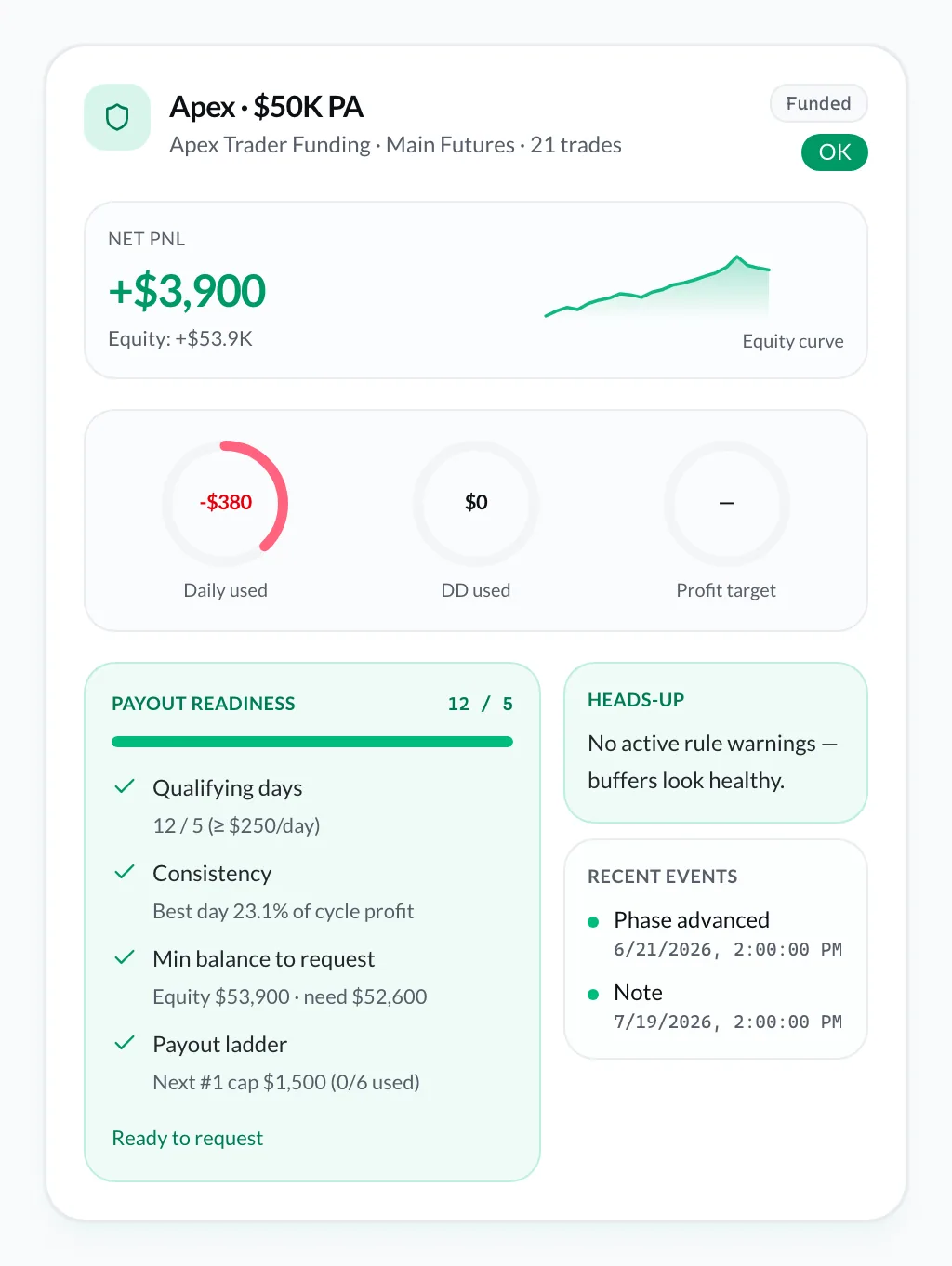
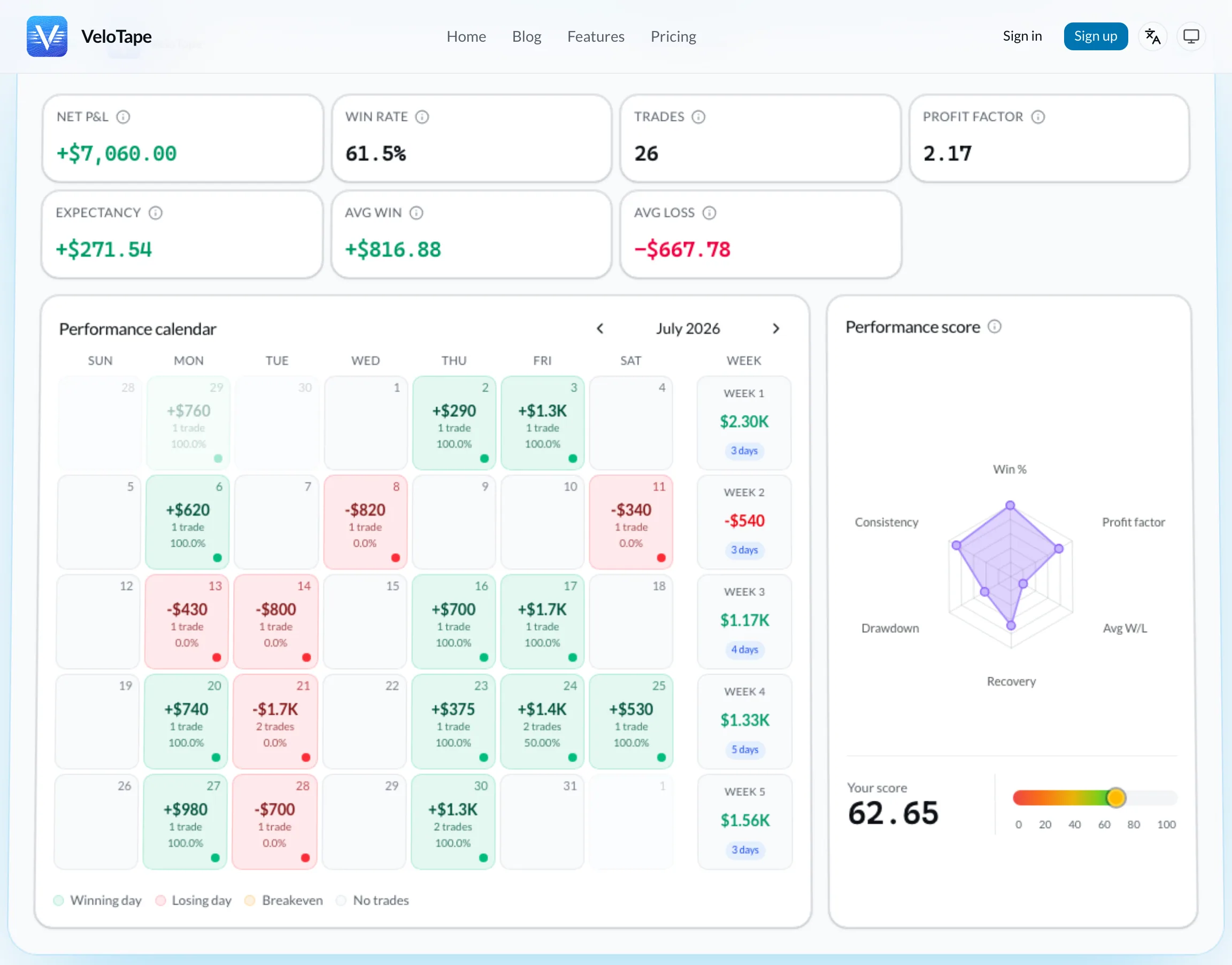
Screenshots show the VeloTape product interface (sample data for illustration).
Prop firm rules are unforgiving: one oversize loss, one revenge session, one daily loss limit breach — and the challenge resets. A generic spreadsheet will not warn you at 80% of your limit. A prop firm trading journal built for futures and evaluation accounts will.
This guide covers what prop traders should log, which metrics prevent rule violations, a practical challenge workflow, and how Prop Desk on VeloTape Free tracks daily loss, trailing drawdown, and payout readiness from imported fills — no credit card required.
For general journaling setup, read our free trading journal guide. For the five metrics that matter most, see trading journal metrics to track.
Prop firm rules your journal must mirror
Every firm words rules differently, but most evaluations share the same skeleton. Your journal should track these before the dashboard turns red.
| Rule type | What it means | Journal signal |
|---|---|---|
| Daily loss limit | Max loss allowed in one session/day | Running daily P&L vs limit |
| Max drawdown | Peak-to-trough decline cap (trailing or static) | Drawdown from high-water mark |
| Profit target | Minimum gain to pass phase | Cumulative P&L vs target |
| Minimum days | Required active trading days | Calendar with trade count |
| Consistency | No single day > X% of total profit | Largest day ÷ total profit |
| Max contracts / size | Position limit per instrument | Size field per trade |
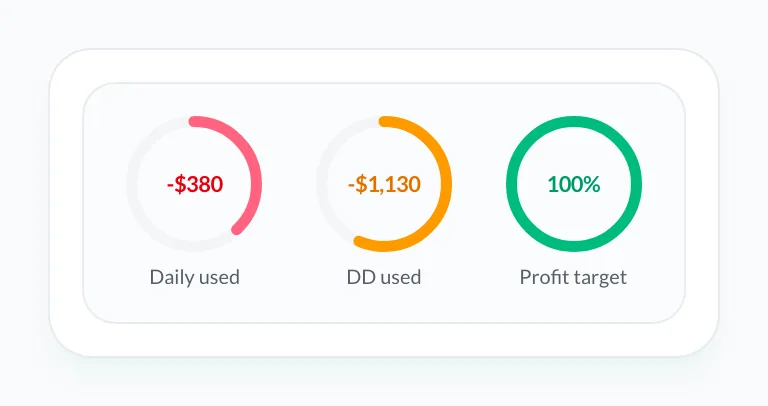
VeloTape does not replace your firm's rule sheet — it gives you live numbers from imported fills so you are not guessing at lunch. Prop Desk turns those fills into compliance gauges (daily loss, trailing DD, profit target) plus Apex/Topstep scaling and payout checklists when you attach a program.
Disclaimer: Rules vary by firm and program. Always confirm limits on your provider's official site. Prop Desk is a tracking aid — the firm portal is authoritative. VeloTape is not affiliated with Apex, Topstep, Tradovate, or any prop firm.
Metrics that prevent violations (check daily)
Prop traders who pass challenges treat these five numbers like fuel gauges.
1. Daily net P&L
Know your number after every trade, not after the session. If your daily loss limit is $1,000 and you are down $380, the next trade is a rule trade — not a revenge trade.
2. Drawdown from high-water mark
Trailing drawdown follows your highest balance. A green morning does not reset bad habits — it raises the bar your trough must stay above.
3. Largest loss today
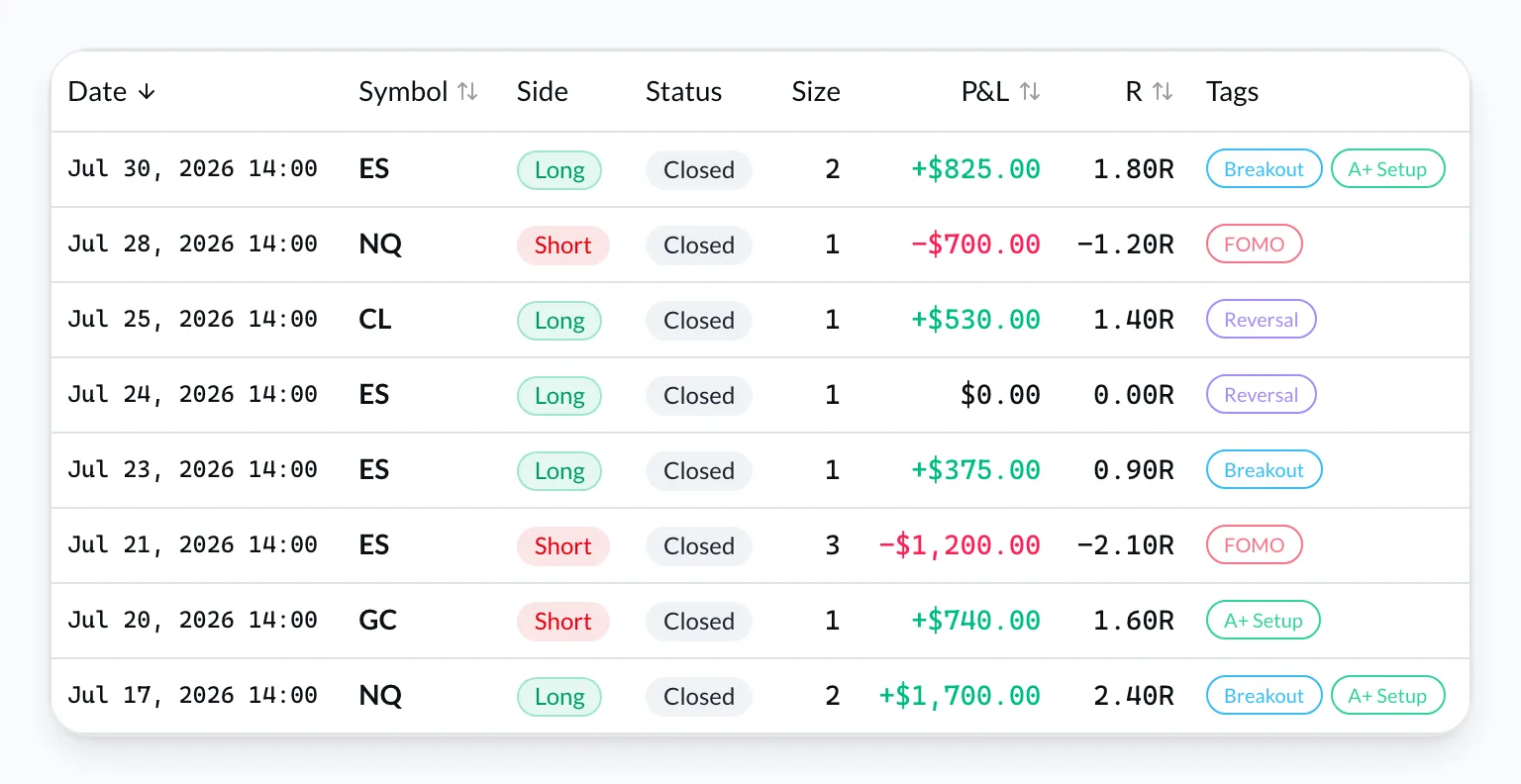
One outlier loss causes most breaches. Tag it: oversize, no stop, outside plan. Review weekly.
4. Trade count
Overtrading after a loss is a classic failure mode. Set a max trades per day in your playbook; count fills in the log.
5. Setup-level P&L
Which strategy bleeds on eval accounts? Tag every fill. Cut the setup before it cuts your challenge.
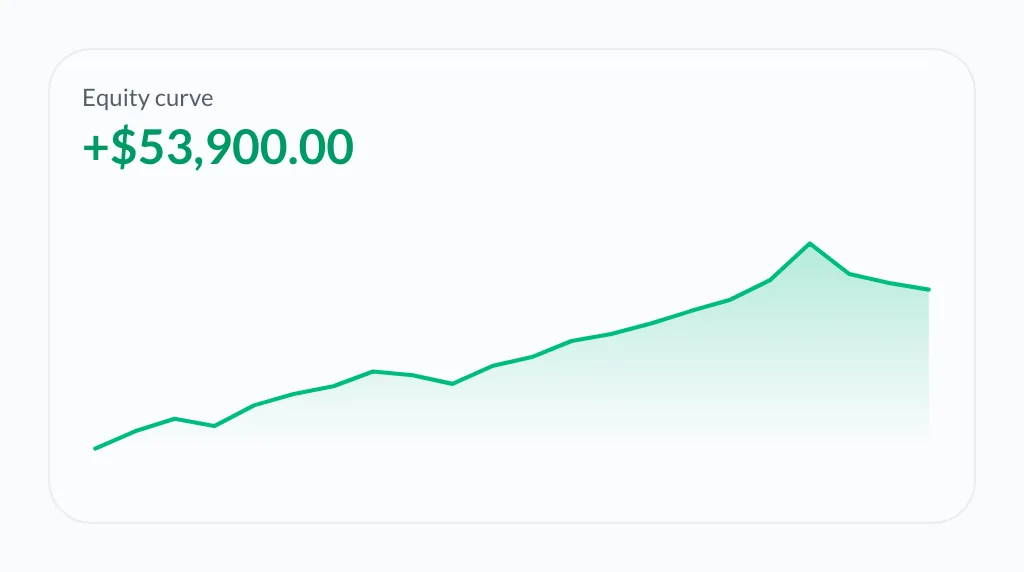
When you need the full equity path (not just the spark on the summary card), open the chart on the program page.
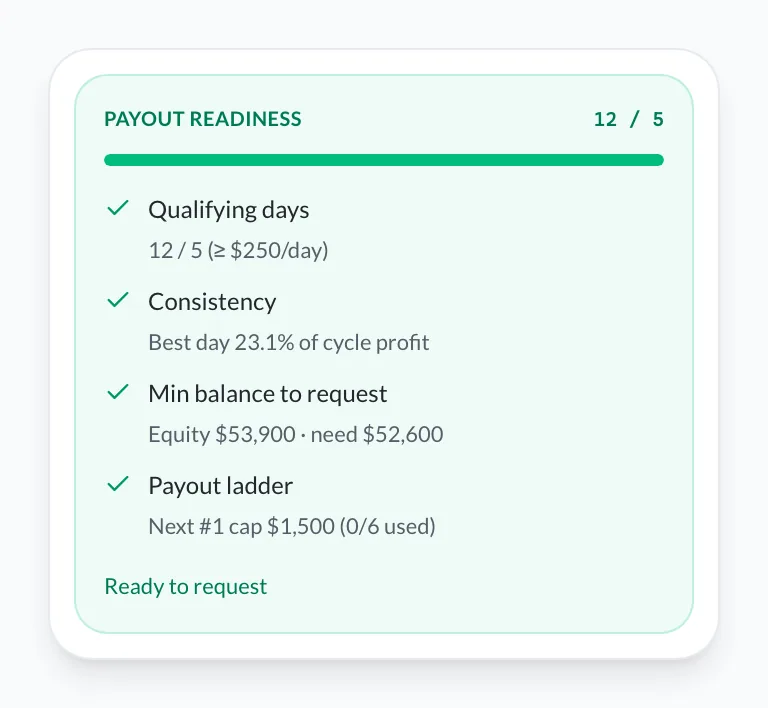
Funded / PA accounts also surface payout readiness from the same closed trades — qualifying days, consistency, and ladder caps — before you request in the firm portal.
See the calendar, not just the P&L
Red days on the calendar are not shame — they are data. Prop traders who ignore red clusters repeat them until reset. Pair the calendar with your Prop Desk buffers so a “small” red day still shows how much daily-loss room you used.
Then drill into the fills behind a red or green day — tags show which setups are eating the eval.
Challenge workflow: before, during, after
Before the session (10 minutes)
- Read firm rules for your phase — daily limit, drawdown type, size caps.
- Write one sentence plan: markets, setups, max loss, max trades.
- Confirm yesterday's fills imported — no gaps in the log.
- Note distance to drawdown and profit target in your head or dashboard.
During the session
- Log or sync fills as they happen (auto-sync preferred).
- At 50% of daily loss limit, yellow flag — reduce size or stop.
- At 80%, stop unless your written rule says otherwise.
- No new strategies mid-session.
After the session (10 minutes)
- Confirm daily P&L matches broker.
- Tag every trade; one line on worst fill.
- Open calendar — is today part of a losing streak?
- Check payout readiness if you are in a funded / PA phase — qualifying days and consistency before you request.
This mirrors the weekly journal routine — compressed for eval pressure.
Connect Apex, Topstep, Tradovate, or CSV on VeloTape
Most futures prop traders run Apex, Topstep (TopstepX), Tradovate, or Rithmic. VeloTape imports without manual typing, then Prop Desk (Free) mirrors the risk rules you configure.
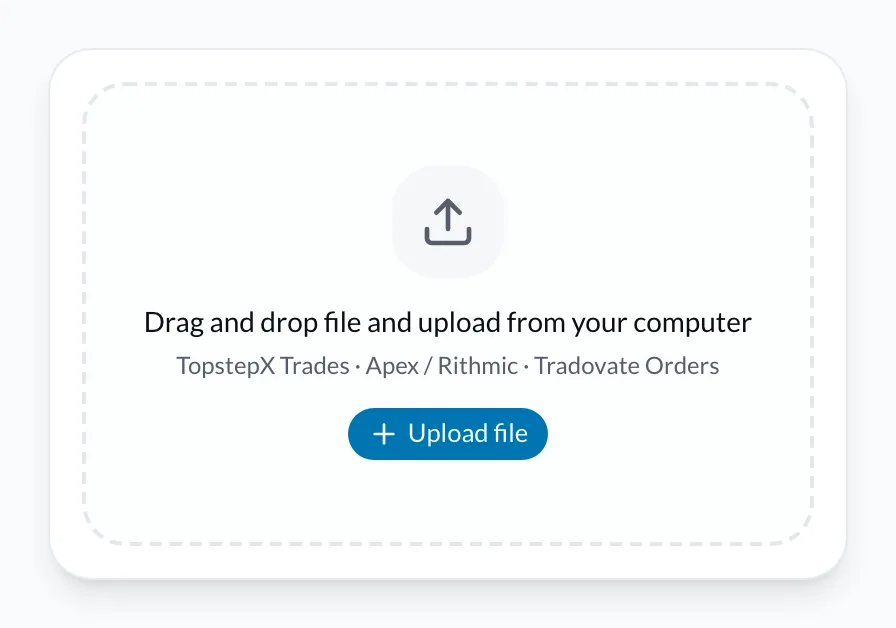
Option A — CSV + Prop Desk (Free)
- Create a free VeloTape account — no credit card.
- Export trades (Apex/Rithmic Order History, Tradovate Orders, or TopstepX Trades tab) → upload CSV.
- Open Prop Desk → attach the account with Apex, Topstep, or Custom rules.
- Watch daily loss / trailing DD buffers update from closed trades; log payouts and resets on the timeline.
Option B — Auto-sync (Essential, recommended for daily evals)
- Upgrade to Essential when you want hands-off fills.
- Open Settings → Accounts and connect Apex or Tradovate.
- Authorize — fills flow into the same trade log that Prop Desk already uses.
- Keep eval accounts separate if you run multiple programs.
Once imported, the performance calendar and Prop Desk update from the same data — daily P&L, drawdown context, and payout readiness.
Pre-session checklist (copy to your playbook)
PROP SESSION CHECKLIST
□ Rules read: daily loss $____ | max DD $____ | max size ____
□ Plan written (one sentence)
□ All prior fills synced
□ Distance to DD: $____
□ Max trades today: ____
□ Stop if daily loss hits: $____ (hard stop)
Print it. Same checklist every eval day — boring is good.
Common prop journal mistakes
- Tracking only net P&L — drawdown kills evals, not monthly green.
- Skipping tags — you cannot see which setup breaches limits.
- Reviewing only after a fail — the journal exists to prevent fails.
- Mixing personal and eval accounts — separate accounts or tags always.
- Changing rules after red days — one adjustment per week, written in advance.
FAQ
Do I need a journal for a prop firm challenge?
Yes. Rules are numeric — daily loss, drawdown, consistency. A journal keeps you inside those numbers before the firm enforces them.
What should a prop firm journal track?
Daily P&L, drawdown from peak, trade count, largest loss, setup tags, and calendar streaks.
Can VeloTape sync with Apex or Tradovate?
Yes — CSV and Prop Desk on Free; Apex/Tradovate auto-sync on Essential. TopstepX uses the Trades CSV path on Free.
Is Prop Desk on Free?
Yes. Compliance tracking for Apex, Topstep, and custom rules does not require Essential.
How often should I review?
After every session (five minutes) and weekly for pattern review on red days.
Does a journal help pass a challenge?
It improves discipline and rule awareness — it does not guarantee funding. Stopping on time matters more than any indicator.
Does VeloTape provide investment advice?
No. Journaling and analytics only. See Terms.
Start your prop firm journal free
Eval accounts punish guesswork. Prop Desk on Free tracks daily loss, trailing drawdown, and payout readiness from closed imported fills (in-app gauges and warnings near limits — not live MTM or trade blocking) — then add Apex/Tradovate sync on Essential when you want auto-import.
See also: Apex Trader Funding journal · Topstep trading journal · TradeZella alternative.
Create your free VeloTape account — no credit card. Import your eval account, open Prop Desk, tag your setups, and run the pre-session checklist tomorrow.
More guides

Free Trading Journal: The Complete Guide for 2026
Learn what to look for in a free trading journal, how to start in 10 minutes, and when a dedicated app beats spreadsheets — no credit card required.

5 Trading Journal Metrics Every Trader Should Track
Win rate, profit factor, expectancy, max drawdown, and time-of-day performance — what each metric means, the formulas, and how to read them in your journal.

How to Keep a Trading Journal: A Step-by-Step System That Sticks
Learn what to log after every trade, build a daily and weekly review routine, and use a simple template so your trading journal actually improves performance.
Trading involves substantial risk. VeloTape is for journaling and analytics only — not investment advice.