 ×VeloTape
Integration guide
Upload an Orders CSV, or connect Tradovate to sync fills automatically when available on your plan.
Use Orders CSV import today, or connect Tradovate for read-only fill sync when auto-sync is available on your plan.
Sign in with Tradovate to import fills without sharing your Tradovate password with VeloTape.
CSV import stays available for every account. Auto-sync requires a paid plan with broker sync entitlement.
You’ll sign in on Tradovate, then return here to finish linking your account.
| Issue | What to try |
|---|---|
| Auto-sync is marked Coming soon | Auto-sync isn’t available for your account yet. Use Orders CSV until it is. |
| Couldn’t finish connecting | Start Connect again from Settings → Accounts. If it keeps failing, try again in a moment or contact support. |
| No accounts after login | Confirm Live vs Demo matches the Tradovate environment where your accounts exist. |
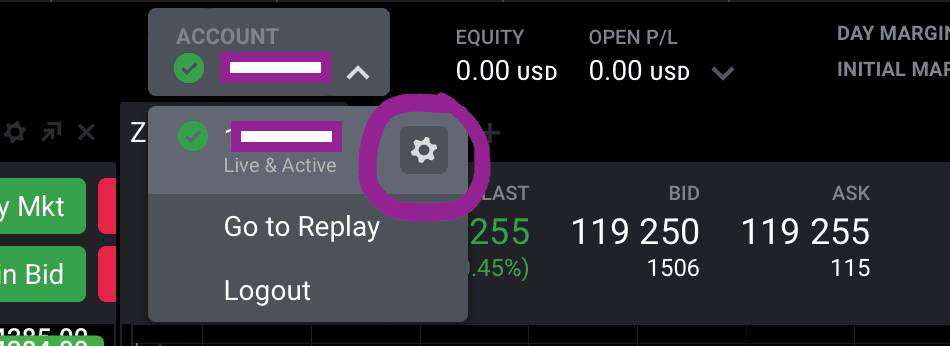
Follow these steps to download your Orders report and upload it to VeloTape.
Tradovate exports timestamps in your local timezone.
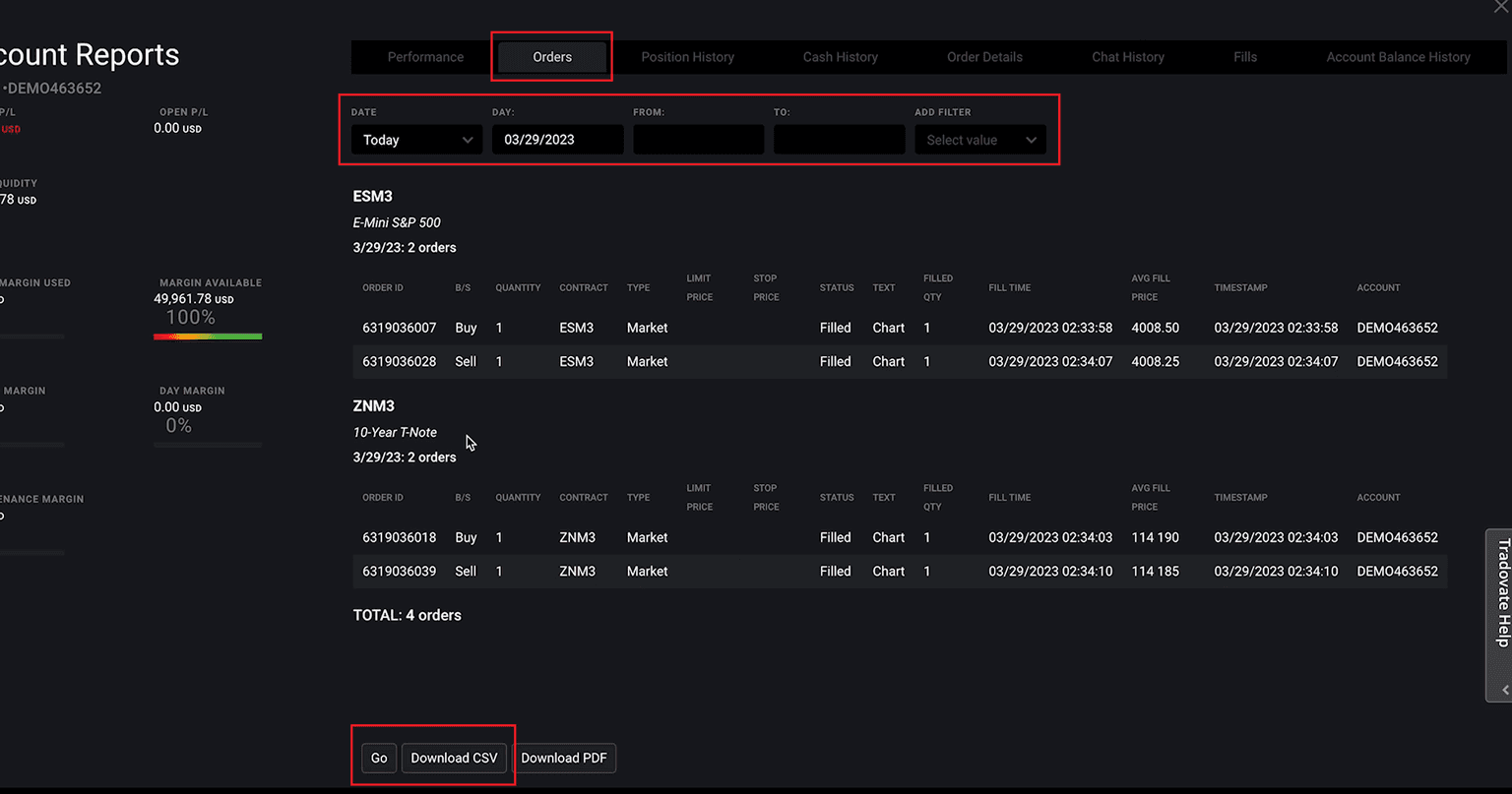
The standard Orders CSV may omit commissions.
| Issue | What to try |
|---|---|
| Unsupported CSV or missing columns | Download the Orders report again and upload the original CSV without changing its columns. |
| Entry or exit times are shifted | Tradovate exports local timestamps. Check that your computer uses the same timezone as when you downloaded the CSV. |
| Working or cancelled orders are absent | The import includes filled orders; working and cancelled orders do not appear as trades. |
Prop Desk on Free tracks daily loss, trailing drawdown, and payout readiness from closed trades — in-app gauges and warnings, not live trade blocking.
Import trades from other brokers and platforms with the same guided flow.


