
Blog
Interactive Brokers Trading Journal: Flex Query Guide 2026
Build an Interactive Brokers trading journal with Flex Query sync or CSV. Import IBKR fills, tag setups, and review commissions without retyping trades.
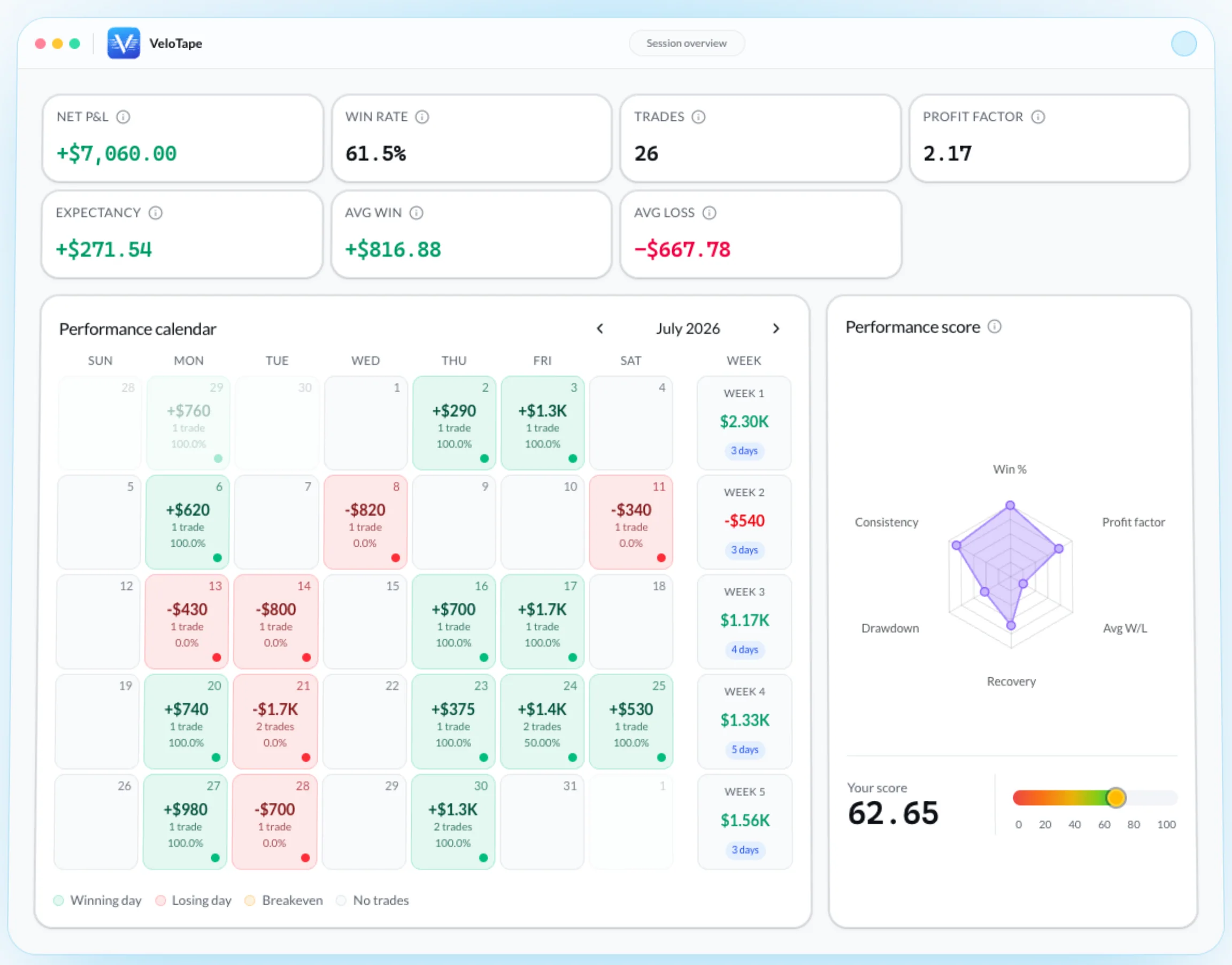
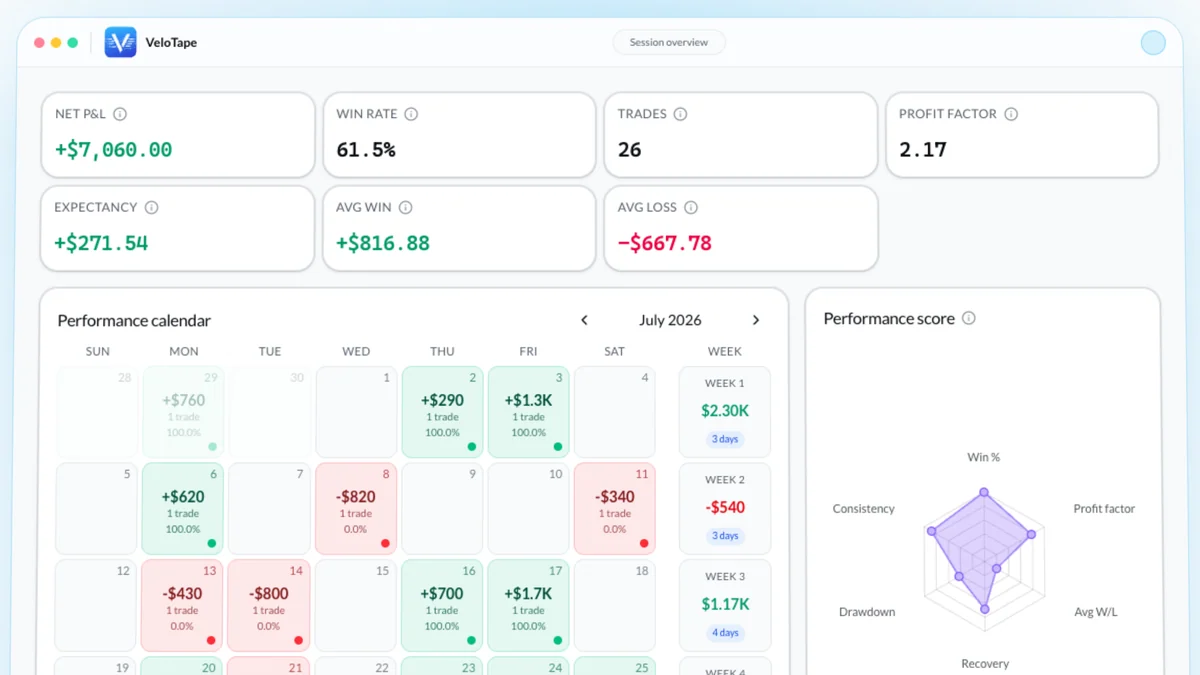
Screenshots show the VeloTape product interface (sample data for illustration).
An Interactive Brokers trading journal should import IBKR fills automatically — then help you review setups, fees, and sessions. Client Portal already answers “what filled?” Flex Queries already export the executions. The journal’s job is the next layer: tags, a performance calendar, and a weekly decision you will actually run.
This guide covers what to look for in an IBKR trading journal, how Flex Query sync and CSV differ, and what to verify after the first import. The click-by-click Client Portal walkthrough stays on the Interactive Brokers integration guide so setup screenshots do not drift.
Does Interactive Brokers have a trading journal?
IBKR is excellent at reporting. It is not a dedicated IBKR trading journal.
- TWS Traders’ Journal is a Mosaic tile for dated notes attached to symbols or trades. Useful for a sentence during the session. It does not import Flex data or calculate profit factor.
- PortfolioAnalyst and Activity statements show accounting P&L, commissions, and positions. They are the source of truth for the broker — not a setup-tagged review.
- Flex Queries are the bridge. Saved Activity or Trade Confirmation templates export executions that a journal can ingest.
If you only need a sticky note inside TWS, stay there. If you want win rate by setup, a P&L heatmap, and a close ritual that survives red days, you need a journal that imports Interactive Brokers trades.
What it stores
- TWS Traders’ Journal
- Dated notes tied to symbols
- Dedicated IBKR journalRecommended
- Fills, tags, notes, metrics
Import from Flex Query
- TWS Traders’ Journal
- Manual notes only
- Dedicated IBKR journalRecommended
- Sync or CSV from Flex
Win rate & profit factor
- TWS Traders’ Journal
- Not calculated
- Dedicated IBKR journalRecommended
- Automatic from fills
Performance calendar
- TWS Traders’ Journal
- None
- Dedicated IBKR journalRecommended
- Daily P&L heatmap
Commission-aware P&L
- TWS Traders’ Journal
- Use PortfolioAnalyst
- Dedicated IBKR journalRecommended
- Net P&L after IB fees
Best when
- TWS Traders’ Journal
- Quick in-platform notes
- Dedicated IBKR journalRecommended
- Repeatable weekly review
| Factor | TWS Traders’ Journal | Dedicated IBKR journalRecommended |
|---|---|---|
| What it stores | Dated notes tied to symbols | Fills, tags, notes, metrics |
| Import from Flex Query | Manual notes only | Sync or CSV from Flex |
| Win rate & profit factor | Not calculated | Automatic from fills |
| Performance calendar | None | Daily P&L heatmap |
| Commission-aware P&L | Use PortfolioAnalyst | Net P&L after IB fees |
| Best when | Quick in-platform notes | Repeatable weekly review |
Last verified: 2026-09-14. TWS Traders’ Journal is a Mosaic notes tile. Dedicated-app column reflects journals that ingest IBKR Flex Query data (VeloTape included).
For why discretionary traders still write a process down, see Investopedia’s trading journal guide. The broker report is not that process.
What an IBKR trading journal must capture
IBKR accounts are often multi-asset and multi-currency. A generic spreadsheet that tracks “entry / exit / P&L” will lie once options multipliers, futures contracts, and IB commissions enter the same book.
| Layer | Fields | Why IBKR traders need it |
|---|---|---|
| Execution | Time, symbol, side, qty, prices, multiplier | Reconstruct the trade without opening TWS |
| Cost | IB Commission, taxes, net P&L | Gross winners become net losers on active books |
| Structure | Open/Close, FIFO P/L, cost basis, open date/time | Pair scale-ins instead of duplicating fills |
| Review | Setup tag, plan adherence, one-sentence note | This is the journal — reports cannot invent it |
Stocks, options, futures, and forex can live in one Flex Query. Keep separate IBKR accounts as separate journals (or separate VeloTape accounts). Mixing a paper account with a live IRA in one log is how metrics go fictional.
The minimum review fields match our what to record in a trading journal template — after the importer fills the execution layer.
How to import Interactive Brokers trades
Both supported routes start in Performance & Reports → Flex Queries. They solve different problems.
| Workflow | Best for | You provide | Trade-off |
|---|---|---|---|
| Flex Web Service sync | Frequent journaling | Activity Flex Query ID + token | Token must be stored and renewed |
| CSV upload | History dump, same-day refresh, no stored token | Trade Confirmation CSV | You re-export each time |
Choose sync if skipping the export is why your journal goes stale. Choose CSV if you import occasionally or do not want a third-party token. Either path should produce the same analytics when the query includes the same execution fields.
If you are still on Excel, the trading journal vs spreadsheet comparison is the decision checklist — then come back here for the IBKR-specific import.
Option 1 — Activity Flex Query sync
IBKR’s Flex Web Service retrieves a saved query over HTTPS. TWS and Client Portal Gateway do not need to stay open.
- Client Portal → Performance & Reports → Flex Queries.
- Create an Activity Flex Query (legacy queries are retired).
- Enable Trades → Executions and include the pairing fields below.
- Set a period (Last 365 calendar days is a solid first import).
- Copy the numeric Query ID.
- Enable Flex Web Service, generate a token, set expiry (up to one year).
- In VeloTape: Settings → Accounts → Interactive Brokers, paste ID + token, connect, then Sync now.
Fields that prevent bad P&L: Open/Close Indicator, FIFO P/L Realized, Multiplier, Orig Trade Price, Open Date Time, Cost Basis Money, IB Commission, Taxes. Leave IBKR date (yyyyMMdd), time (HHmmss), and ; separator on defaults unless the integration guide says otherwise.
The token is for reports only — IBKR documents it as a Flex Web Service access token, not an order-entry credential. Still treat it like a password: no screenshots, set an expiry, generate a new one to revoke. See Enable and create access token.
Every screenshot and current Client Portal label is in the IBKR auto-sync guide. Use that page when you configure the query; use this article when you decide whether to sync and what to review after.
Create a free VeloTape account — CSV import works on Free; Flex auto-sync is on Essential.
Option 2 — Trade Confirmation CSV
CSV is the better IBKR journal path when you want a controlled historical import, same-day fills before Activity Flex has published, or no stored token.
- Create a Trade Confirmation Flex Query.
- Choose Execution detail and Select All on the required fields.
- Run the query → format CSV → download.
- VeloTape → add Interactive Brokers with File upload → drop the file.
- Spot-check the preview, then confirm.
Illustrated run-modal and date-format notes: IBKR CSV import. IBKR’s SendRequest reference documents period overrides up to 365 days — split history into more than one export if you need a longer archive.
What to verify after the first IBKR import
A green “success” is not a journal. Spot-check ten trades across symbols and dates before you trust metrics.
- Open and close times — scale-in should not plot entry and exit on the same candle. Zero entry usually means missing Open Date Time / Cost Basis / Orig Trade Price.
- Side and quantity — one long, one short, one partial close. Execution reports contain many fills per idea; the journal should pair them, not list every opening fill as a closed trade.
- Commissions and taxes — compare net P&L with Client Portal, not gross. Active IBKR books often look fine until fees hit.
- Multiplier — check one future or option. Price ticks are not dollars until the contract multiplier is applied.
- Account and currency — one IBKR account per journal account. Multi-currency books must use the same basis you use in IBKR before you call a difference a parser bug.
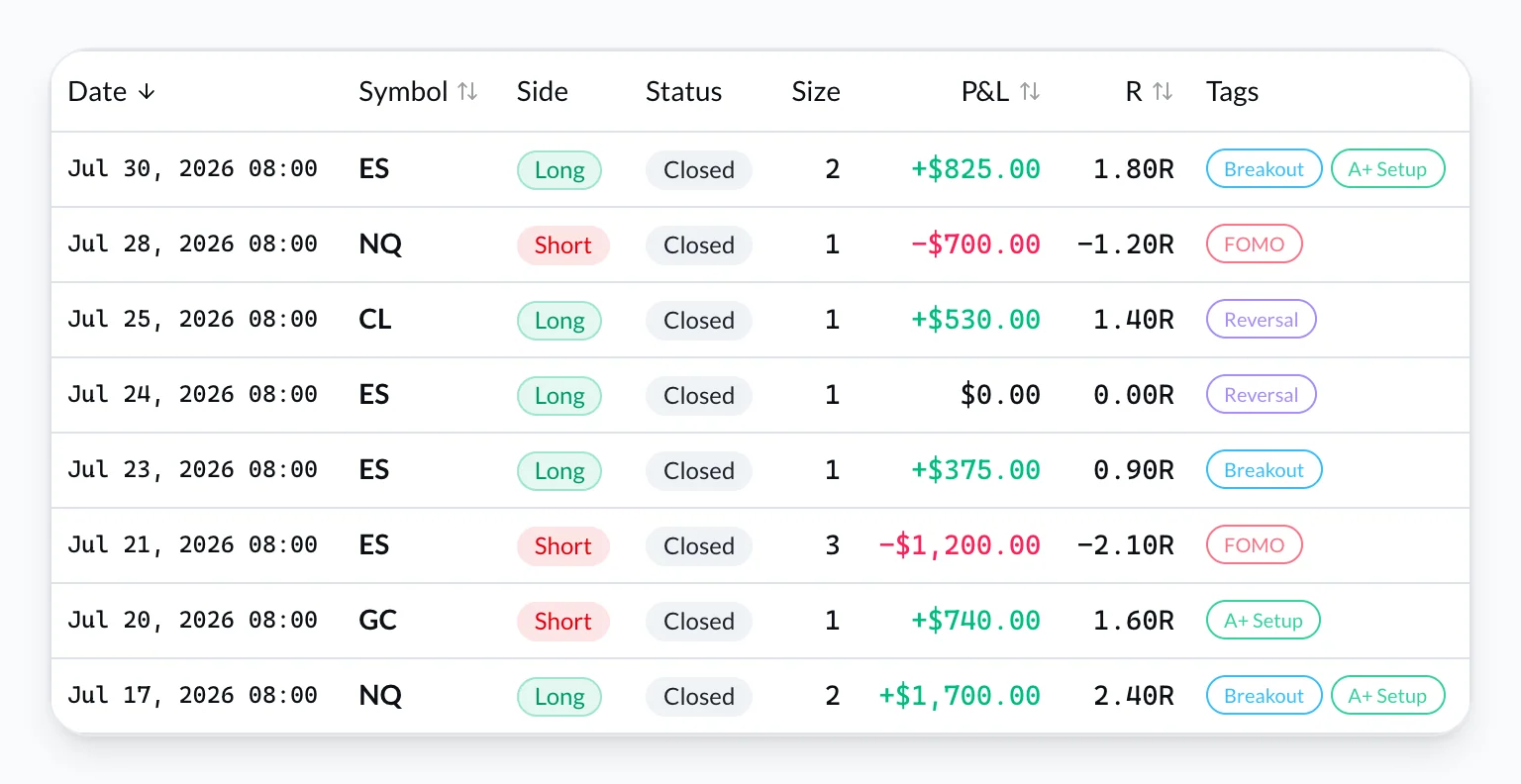
Turn IBKR fills into a weekly review
Import is the execution layer. Edge work starts after the data arrives.
After each session (5–10 minutes): sync or upload → confirm day P&L and fees → tag every closed trade with one setup → one sentence on the trade that defined the day → one rule for tomorrow. Same cadence as the day trading journal daily review.
- Net P&L by setup and symbol — including commission drag.
- Worst day on the performance calendar.
- Morning vs midday vs close.
- One behavior to change. Not a rewritten system.
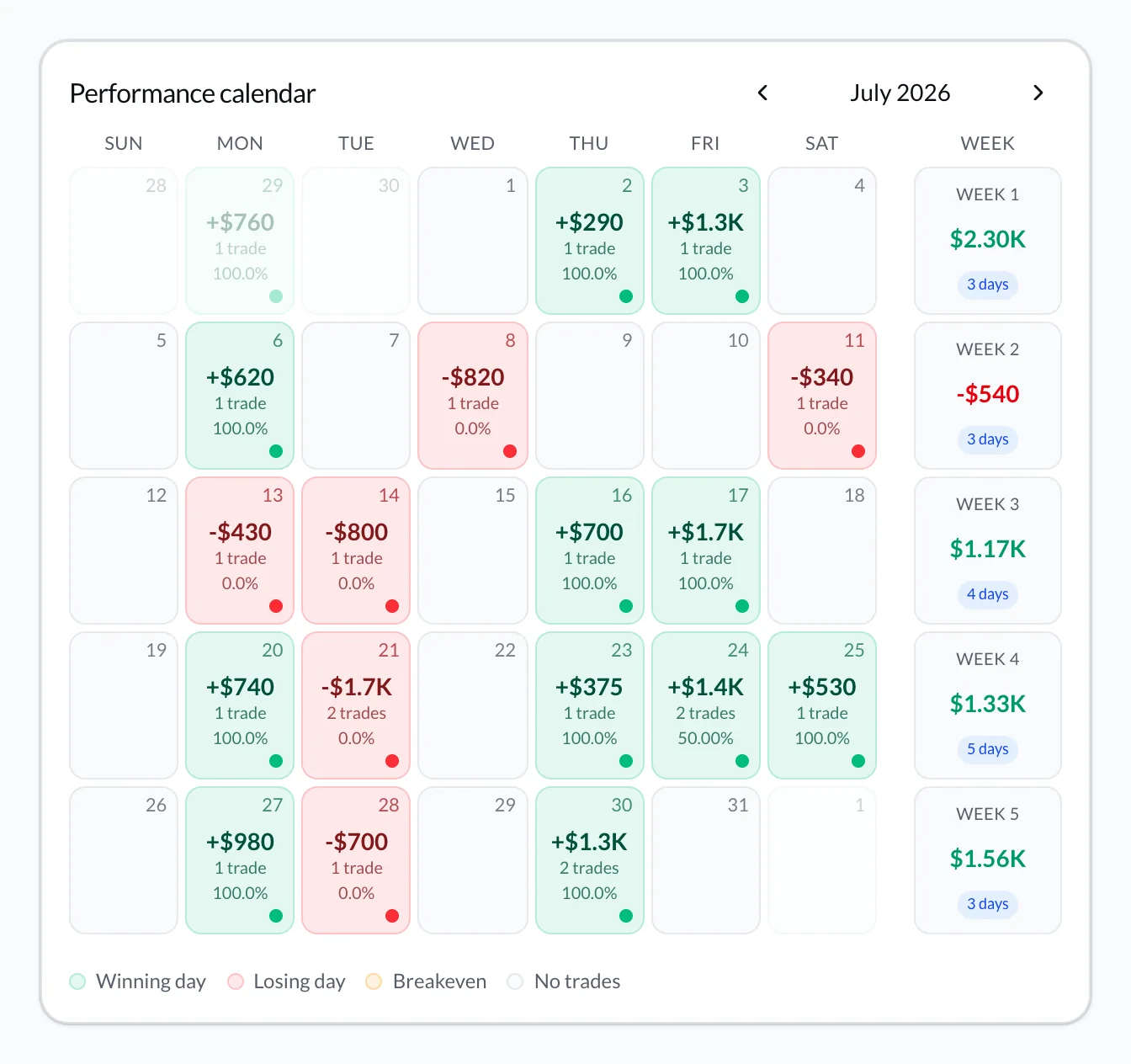
The point of an Interactive Brokers trade journal is not more columns than Client Portal. It is the same review, every week, on honest net numbers.
Common IBKR journal problems
| Symptom | Likely cause | Fix |
|---|---|---|
| SendRequest failed | Wrong Query ID or expired token | Recopy the Activity ID; generate a new token |
| GetStatement failed | Report still generating | Wait ~1 minute; sync again |
| IP restriction | Token locked to another IP | Clear the Flex Web Service IP whitelist |
| 0 trades imported | Trades/Executions off, or empty period | Edit the query; widen the date range |
| Today’s fills missing | Same-day lag in Flex | Retry next cycle or use Trade Confirmation CSV |
| P&L or entry looks wrong | Missing pairing, multiplier, or fee fields | Add the field list above; re-sync |
Full screenshots: IBKR integration troubleshooting.
FAQ: Interactive Brokers trading journal
Can I use one Flex Query with any journal app?
Field requirements differ. Use the Activity or Trade Confirmation template your journal documents. A query that works in one importer can duplicate fills or drop commissions in another.
Does Flex sync require TWS to stay open?
No. Flex Web Service pulls a saved report over HTTPS.
Is sync better than CSV?
Sync wins on consistency. CSV wins on control and same-day gaps. Analytics should match when both files carry the same execution fields.
Should I import every fill or only closed trades?
Export executions and let the journal reconstruct completed trades. Deleting opening fills from the source file removes the data needed to pair entries and exits.
What should I tag after an IBKR import?
Three to five setup names. Add session or psychology tags only after the core tags are consistent. A small taxonomy beats twenty overlapping labels.
Interactive Brokers LLC and its affiliates are not affiliated with VeloTape. Names and logos are used only to describe compatibility. Trading involves substantial risk — see the CFTC Learn & Protect hub. A journal improves review; it does not guarantee profits.
Start your Interactive Brokers trading journal free — connect a Flex Query or upload a CSV, verify ten trades, then run your first weekly review.
More guides

5 Trading Journal Metrics Every Trader Should Track
Win rate, profit factor, expectancy, max drawdown, and time-of-day performance — what each metric means, the formulas, and how to read them in your journal.
Trading Journal vs Spreadsheet: Honest Comparison for 2026
Trading journal vs Excel or Google Sheets — when a spreadsheet is enough, when it costs you edge, and how to migrate to a free journal in under 30 minutes.

How to Keep a Trading Journal: A Step-by-Step System That Sticks
Learn what to log after every trade, build a daily and weekly review routine, and use a simple template so your trading journal actually improves performance.
Trading involves substantial risk. VeloTape is for journaling and analytics only — not investment advice.