
Blog
What to Record in a Trading Journal (Template Included)
Know exactly what to record in a trading journal — must-have fields, optional context that reveals edge, and a copy-paste template you can use today.
Screenshots show the VeloTape product interface (sample data for illustration).
Most traders ask what to record in a trading journal after they have already failed at journaling once. The usual failure mode is not laziness — it is a form with twenty fields that feels like homework after a red session.
This guide gives you a clear split: must-have fields, optional context that reveals edge, and a copy-paste template. Use the minimum until logging is boring. Then add depth.
If you still need a tool, start with our free trading journal guide. For the daily and weekly routine around these fields, see how to keep a trading journal.
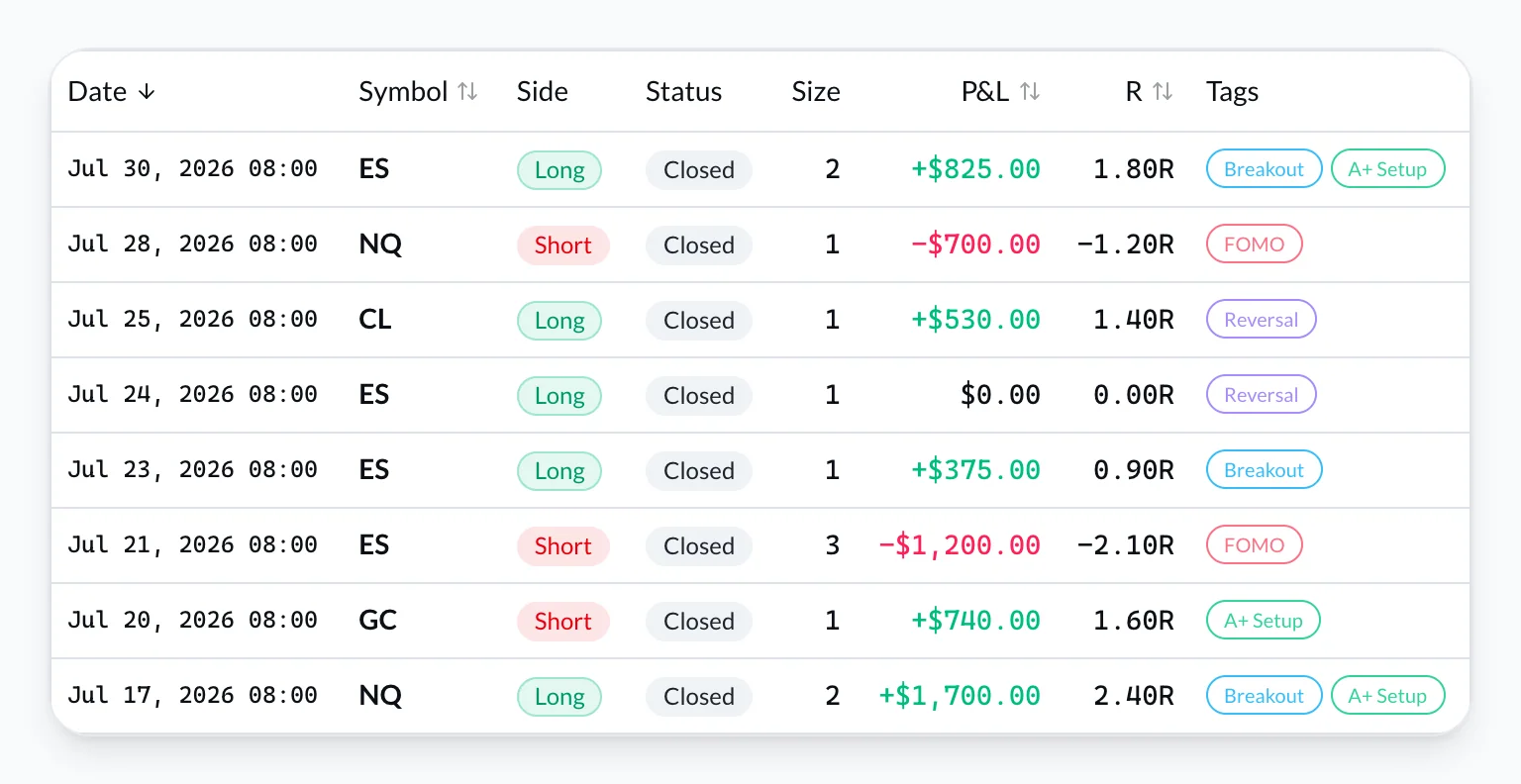
The one question your journal must answer
Every field earns its place only if it helps you answer later:
Would I take this trade again under my rules?
If a field never changes that answer, delete it. Journals exist to improve decisions — not to archive every thought you had at the open.
Must-have fields (the minimum viable entry)
Record these for every trade — win or loss. No exceptions on green days.
| Field | Why it matters |
|---|---|
| Date / time | Session and time-of-day reports depend on it |
| Symbol | Edge is rarely the same across markets |
| Direction | Long / short — required for side breakdowns |
| Entry & exit | Reconstruct the trade without opening the platform |
| Size | Risk and sizing mistakes show up here |
| Fees / commissions | Net edge, not gross fantasy |
| Net P&L | After fees — pick one convention and stick to it |
| Setup tag | One label (breakout, pullback, news…) for strategy stats |
That is the execution layer. Broker sync or CSV import should fill most of it so you are not retyping fills. On VeloTape, CSV import works on Free; auto-sync is on Essential.
Setup tags: keep a short list
Three to five tags beat fifteen. Examples for futures day traders:
orb— opening range breakoutpullback— continuation after pullbackreversal— failed break / fadenews— event-drivenother— catch-all (review weekly; rename or delete noise)
If two tags describe the same idea, merge them. Inconsistent tags make metrics like win rate by setup useless.
Optional fields (add after two weeks of consistency)
Only after you log every trade for ~ten sessions without skipping:
- Plan adherence —
yes/partial/no. The highest-leverage optional field. - One-sentence rationale — why you entered, in plain language. Not a thesis.
- Session — pre-market, open, midday, close (or your market’s equivalents).
- Invalidation — what would have made you stand down (optional but powerful).
- Screenshot — chart at entry or exit for weekly review — never block logging.
Psychology tags (last, not first)
FOMO, revenge, boredom, overconfidence — useful after execution logging is automatic. Adding them on day one is how beginners quit. Rule: if emotion tags make you skip a red day, remove them for thirty days.
What not to record (over-journaling traps)
- Novels per trade — one sentence beats three paragraphs you will never reread.
- Every tick of the order book — unless that is your edge, it is noise.
- Duplicate broker fields — if CSV already has P&L, do not retype it.
- Fifteen setup names — granularity feels smart; consistency pays.
- Fields you leave blank half the time — blank columns train you to ignore the journal.
Cut rule: if a field made you skip logging this week, delete it until next month.
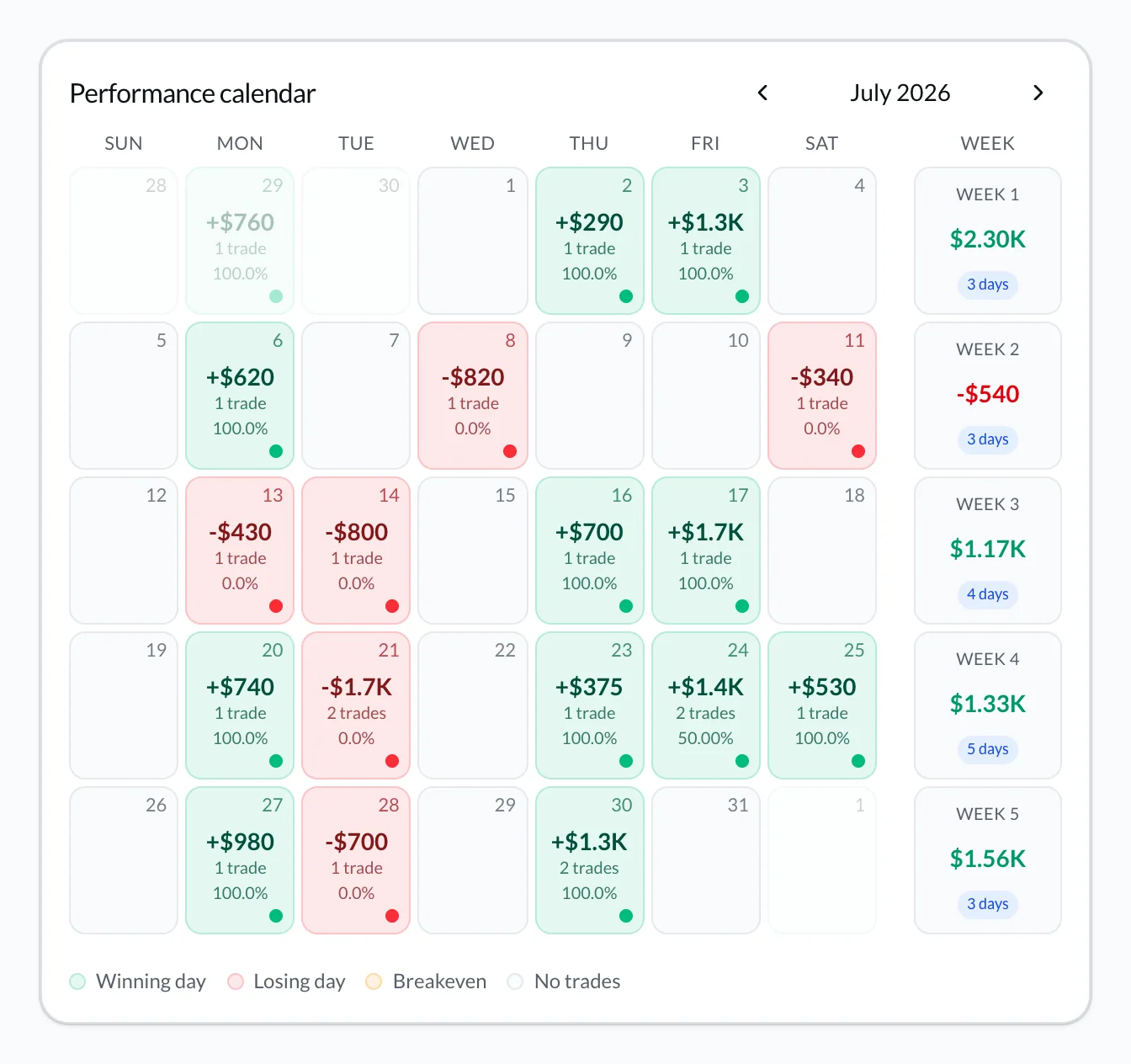
Copy-paste trading journal template
Use this in VeloTape notes, a spreadsheet, or a doc. Fill per trade (or per session for scalpers who batch).
TRADE LOG (per fill)
- Date / time:
- Symbol:
- Side: long | short
- Entry / exit:
- Size:
- Fees:
- Net P&L:
- Setup tag:
- Plan followed: yes | partial | no
- Note (one sentence):

SESSION CLOSE (optional, 2 minutes)
- Worst trade today:
- One rule for tomorrow:
Example filled entry
- Date / time: 2026-08-06 09:42 ET
- Symbol: NQ
- Side: long
- Entry / exit: 19842.50 → 19861.00
- Size: 1 MNQ
- Fees: 1.24
- Net P&L: +92.76
- Setup tag: pullback
- Plan followed: yes
- Note: Waited for retest of OR high; size half until confirmation.
Notice what is missing: no essay, no emotion novel, no five screenshots. Enough to review on Sunday.
How to use the template in a real review
Logging without review is a diary. Review without clean fields is guesswork.
Daily (5–10 min): confirm fills → tag setups → one sentence on the worst trade → one rule for tomorrow. Details in how to keep a trading journal.
Weekly (20 min): open the performance calendar, sort by setup tag, read “plan followed = no” trades, pick one fix for next week.
Monthly: retire dead tags, compare expectancy by setup, check whether size and fees match your risk plan. See trading journal metrics to track.
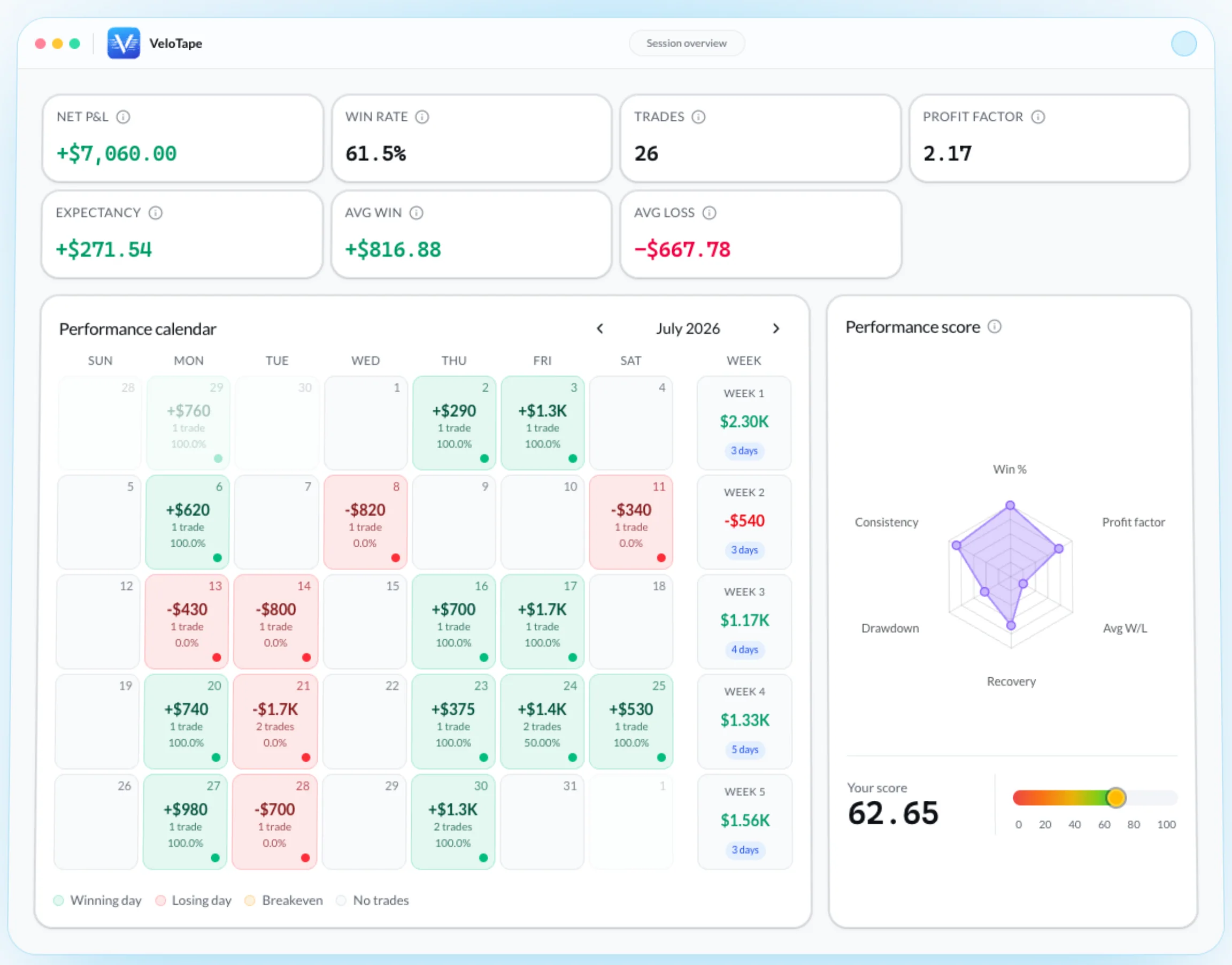
Spreadsheet vs app for these fields
A spreadsheet can hold every field above. The cost is typing and formula maintenance — covered in trading journal vs spreadsheet. A dedicated journal imports the execution layer so your time goes to tags and notes.
VeloTape focuses on trade history, tags, calendar, and core metrics — journaling and analytics only, not investment advice. Check /#pricing for Free vs Essential limits.
FAQ: what to record in a trading journal
What are the essential fields?
Time, symbol, side, entry/exit, size, fees, net P&L, setup tag. Everything else is optional until the habit sticks.
How long should each entry take?
Under two minutes if fills import automatically; under five if you type. Cap daily journaling at ten minutes.
Should prop firm traders record extra fields?
Yes — map daily loss and drawdown against firm rules (often in a prop desk or rules view). Still keep the per-trade template short; see prop firm trading journal.
Can beginners start with only five fields?
Yes. Symbol, side, P&L, setup, note. Add entry/exit and fees in week two. Starting tiny beats a blank perfect template.
Trading involves substantial risk. A journal improves review — it does not guarantee profits.
Create your free VeloTape account — no credit card. Import recent trades, apply three setup tags, and fill the one-sentence note on today’s worst trade.
More guides

How to Keep a Trading Journal: A Step-by-Step System That Sticks
Learn what to log after every trade, build a daily and weekly review routine, and use a simple template so your trading journal actually improves performance.

5 Trading Journal Metrics Every Trader Should Track
Win rate, profit factor, expectancy, max drawdown, and time-of-day performance — what each metric means, the formulas, and how to read them in your journal.

Day Trading Journal: Build a Daily Review Habit
Build a day trading journal that survives busy sessions — a 10-minute daily review habit, batch logging for scalps, and a close checklist you can run every day.

Trading Journal FAQ: 21 Questions Answered (2026)
Clear answers to 21 trading journal FAQ traders ask most: what to record, Excel vs apps, profit factor, reviews, and a free way to start. No credit card.
Trading involves substantial risk. VeloTape is for journaling and analytics only — not investment advice.