
Blog
Trading Journal vs Spreadsheet: Honest Comparison for 2026
Trading journal vs Excel or Google Sheets — when a spreadsheet is enough, when it costs you edge, and how to migrate to a free journal in under 30 minutes.
Screenshots show the VeloTape product interface (sample data for illustration).
Searching trading journal vs spreadsheet (or trading journal vs Excel) usually means you already journal — you are just tired of the friction. Spreadsheets are honest tools. Dedicated apps are not magic. The right answer depends on volume, discipline, and how much time you burn fixing formulas instead of reviewing edge.
This comparison is blunt: when Excel or Google Sheets is enough, when it quietly costs you consistency, and how to migrate to a free journal in under thirty minutes without losing history.
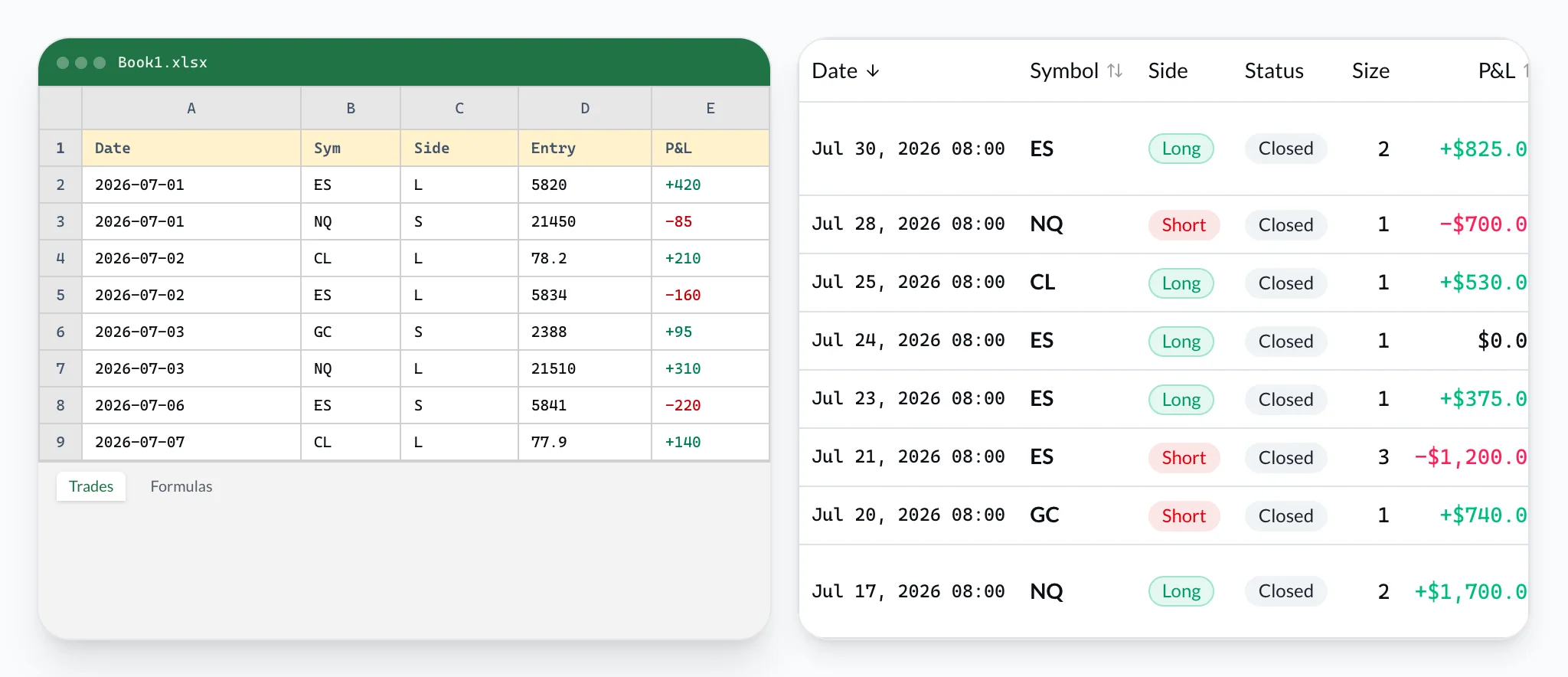
When a spreadsheet is enough
A Google Sheets trading journal or Excel workbook is the right choice when:
- You trade infrequently — a few times per week or less, so typing fills is tolerable.
- You enjoy building systems — named ranges, pivot tables, and custom R-multiple formulas are part of the fun.
- You need exotic columns — research fields that no SaaS product exposes yet.
- You want zero vendor lock-in — the file lives in Drive or on disk; you own every cell.
- Your review habit is already strong — you open the sheet after every session, including red days.
If that describes you, stay on the sheet. A fancy app will not fix a habit you already have. Read how to keep a trading journal to tighten the routine before you switch tools.
Minimum viable spreadsheet columns: date/time, symbol, direction, entry, exit, size, fees, net P&L, setup tag, one-sentence note. Anything else is optional until thirty consistent sessions.
The hidden costs of Excel and Sheets
Spreadsheets feel free. The invoice is paid in time and silent errors. For why discretionary traders still benefit from a written process, see Investopedia’s guide to creating a trading journal.
Time tax
Active day traders often spend fifteen to forty minutes after a session copying fills, fixing timezone columns, and refreshing charts. That is not review — that is data entry. Review is reading the calendar, tagging mistakes, and deciding what not to repeat tomorrow.
Error tax
One mistyped minus sign flips a loser into a winner. Broken SUMIF ranges after you insert a row quietly corrupt win rate for months. Spreadsheets do not warn you that profit factor is wrong; they just display confidence.
Consistency tax
The days you most need a journal — tilt days, rule breaks, revenge trades — are the days a blank grid feels heaviest. Skipping losing sessions is the most expensive spreadsheet “feature.”
Scale tax
Past roughly fifty trades per month, tabs multiply: accounts, symbols, monthly archives. Multi-account prop work becomes copy-paste archaeology. There is no native performance calendar unless you build one.
Sync tax
Brokers move. Flex Queries, CSV formats, and statement layouts change. Your import macros lag. Apps that ship broker adapters (or clean CSV paths) absorb that churn for you — for example the Interactive Brokers trading journal.
None of this means spreadsheets are bad. It means trading journal vs Excel is really a question about where your scarce attention should go.
Side-by-side: spreadsheet vs dedicated journal
Money cost
- Spreadsheet (Excel / Sheets)
- Free (or Office you already pay)
- Dedicated journal appRecommended
- Free tier + optional paid sync
Time per session
- Spreadsheet (Excel / Sheets)
- 15–40 min typing & formulas
- Dedicated journal appRecommended
- Minutes with CSV or sync
Data entry errors
- Spreadsheet (Excel / Sheets)
- Easy to mistype P&L / side
- Dedicated journal appRecommended
- Imports from broker exports
Win rate & profit factor
- Spreadsheet (Excel / Sheets)
- You build and maintain formulas
- Dedicated journal appRecommended
- Calculated automatically
Performance calendar
- Spreadsheet (Excel / Sheets)
- Manual heatmaps or none
- Dedicated journal appRecommended
- Built-in daily P&L view
Prop firm rule tracking
- Spreadsheet (Excel / Sheets)
- DIY — easy to drift
- Dedicated journal appRecommended
- Purpose-built (e.g. Prop Desk)
Multi-account dashboard
- Spreadsheet (Excel / Sheets)
- Tabs that get messy
- Dedicated journal appRecommended
- Accounts in one place
Best when…
- Spreadsheet (Excel / Sheets)
- Low volume, love building sheets
- Dedicated journal appRecommended
- Daily trading, prop, or skip logging
| Factor | Spreadsheet (Excel / Sheets) | Dedicated journal appRecommended |
|---|---|---|
| Money cost | Free (or Office you already pay) | Free tier + optional paid sync |
| Time per session | 15–40 min typing & formulas | Minutes with CSV or sync |
| Data entry errors | Easy to mistype P&L / side | Imports from broker exports |
| Win rate & profit factor | You build and maintain formulas | Calculated automatically |
| Performance calendar | Manual heatmaps or none | Built-in daily P&L view |
| Prop firm rule tracking | DIY — easy to drift | Purpose-built (e.g. Prop Desk) |
| Multi-account dashboard | Tabs that get messy | Accounts in one place |
| Best when… | Low volume, love building sheets | Daily trading, prop, or skip logging |
Last verified: 2026-07-30. Spreadsheet cost assumes free Excel Online or Google Sheets. App column reflects typical dedicated journals with a free tier (e.g. VeloTape Free).
Rule of thumb: if logging takes longer than reviewing, or you skip red days, the spreadsheet is already losing. If you trade rarely and love the sheet, keep it.
Want the broader free-tool landscape? See our free trading journal guide.
Decision checklist: stay or switch?
Use this checklist honestly. Count the “yes” answers for switching.
| Signal | Stay on spreadsheet | Switch to a journal app |
|---|---|---|
| Trades per month | Under ~20 | Most trading days / 50+ |
| Logging time/week | Under 30 minutes | Over 30 minutes or growing |
| Skip journaling after losses | Rarely | Often |
| Prop firm rules (daily loss, trailing DD) | DIY and accurate | Need a dedicated tracker |
| Accounts | One simple book | Multiple eval / PA / personal |
| Metrics you trust | Formulas you maintain | Auto win rate, PF, expectancy |
| Broker exports | Happy pasting CSVs | Want sync or one-click import |
Three or more in the right column → dedicated app. Mostly left column → spreadsheet is fine; improve the template, do not buy software out of guilt.
Prop traders tracking daily loss and drawdown usually outgrow Sheets first — see prop firm trading journal, or firm pages for Apex and Topstep.
Migrate from a spreadsheet in under 30 minutes
You do not need a perfect historical archive on day one. You need clean recent data and a habit that sticks.
Step 1 — Freeze a backup (2 minutes)
Download your Excel/Sheets file as .xlsx and a .csv of the trade tab. Store both outside the app. You are not deleting Excel; you are stopping it from being the only system of record.
Step 2 — Normalize columns (10 minutes)
Map columns to a simple header row the journal can understand:
openedAt, symbol, side, entryPrice, exitPrice, quantity, fees, netPnl, setup, notes- Use ISO dates or a single consistent timezone.
- Side as
long/short(or the importer’s expected values). - Net P&L after fees — pick one convention and stick to it.
- Drop decorative columns for the first import; add tags later inside the app.
If your broker export is cleaner than your sheet, import the broker CSV instead and treat the spreadsheet as notes history.
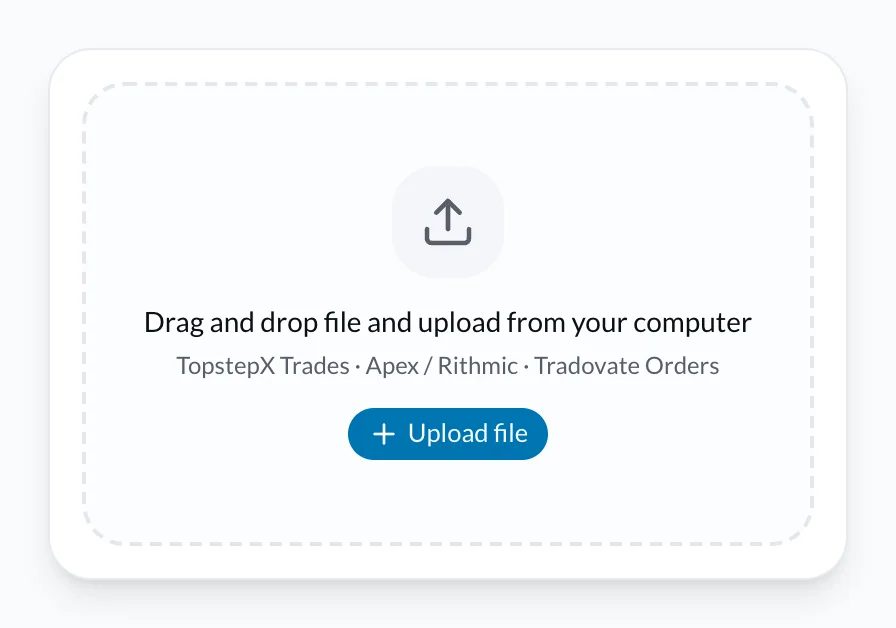
Step 3 — Import and spot-check (10 minutes)
- Create a free VeloTape account — no credit card.
- Create an account for the book you trade (personal, eval, PA).
- Upload CSV (Free tier) or connect a supported broker on Essential later.
- Spot-check ten random trades: side, P&L sign, fees.
- Open win rate, profit factor, and the performance calendar — confirm they match your mental model of the last month.
Step 4 — Dual-run for two weeks (optional)
Keep logging in Excel and the app for ten sessions if you are nervous. When the app’s calendar matches your gut and the sheet, retire the sheet for execution logging. Keep Excel for research if you want.
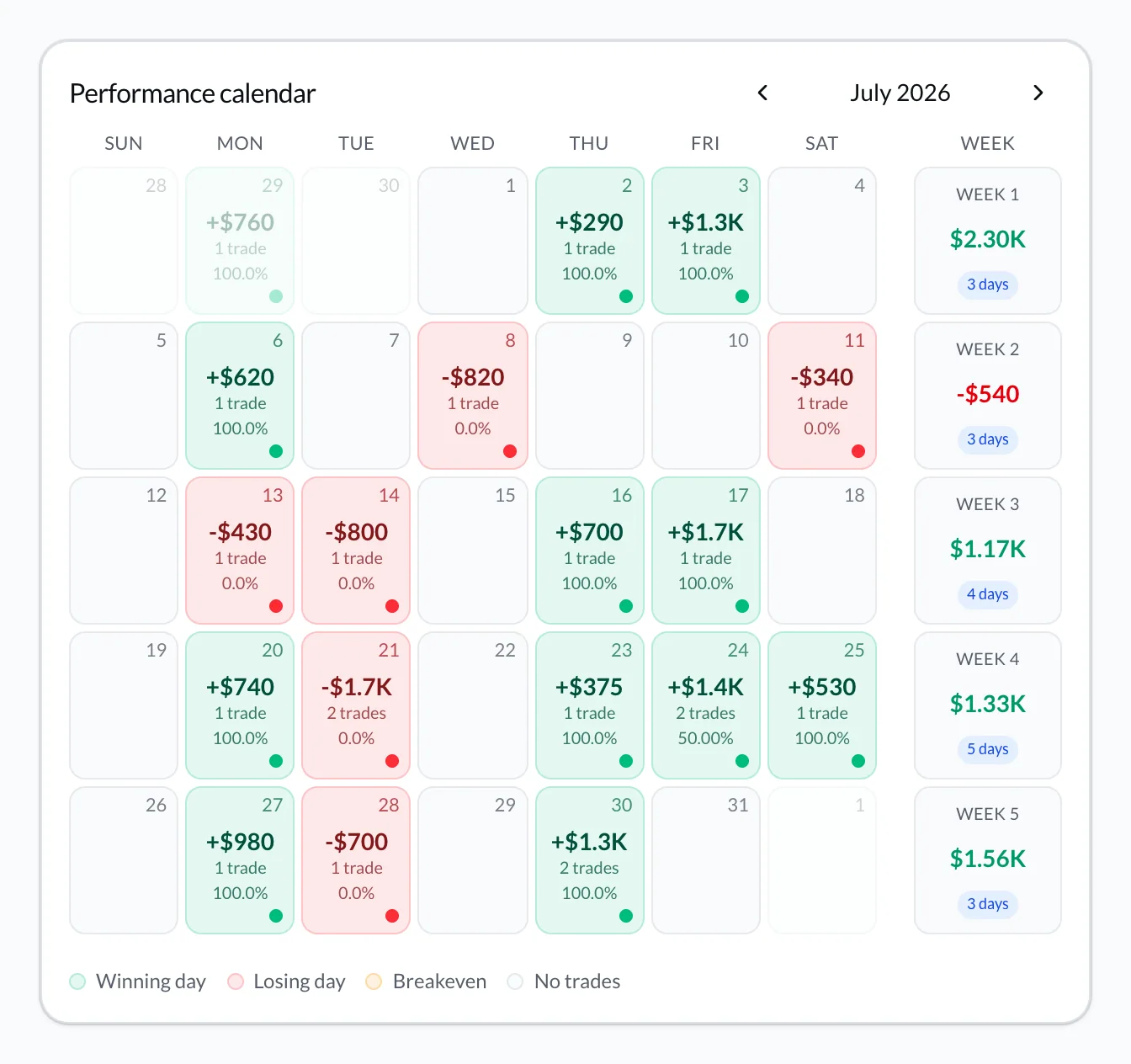
What VeloTape adds that Sheets will not
- Automatic core metrics — win rate, profit factor, expectancy, drawdown without formula babysitting (metrics explained).
- Performance calendar — daily P&L heatmap for weekly reviews.
- CSV import on Free — start without a card; upgrade when you want broker auto-sync.
- Prop Desk on Free — daily loss and trailing drawdown style rules for prop workflows.
- Tags and notes per trade — without a parallel “Notes” tab that drifts out of sync.
Pricing and limits change — check /#pricing. VeloTape is journaling and analytics only — not investment advice.
FAQ: trading journal vs spreadsheet
Is a spreadsheet or Excel good enough as a trading journal?
Yes for low volume and strong habits. Switch when friction or broken formulas start lying to you.
Can Google Sheets be a free trading journal forever?
Yes if you stay consistent. Forever is a habit problem, not a software problem. Many traders still prefer an app once volume rises.
Will I lose my Excel history if I switch?
No. Export CSV, import what you need, keep the original file as archive. Start with the last 30–90 days if a full dump is messy.
Should beginners start in Excel or an app?
Either. Beginners who hate setup should start in an app with CSV import. Beginners who learn by building models can start in Sheets — then migrate using the steps above. See the free trading journal guide.
Trading involves substantial risk. A journal improves review — it does not guarantee profits. For plain-language investor education on markets and risk, see the CFTC Learn & Protect hub and Investor.gov.
Create your free VeloTape account — no credit card. Import a CSV from your spreadsheet or broker, tag three setups, and run your first calendar review this week.
More guides

Free Trading Journal: The Complete Guide for 2026
Learn what to look for in a free trading journal, how to start in 10 minutes, and when a dedicated app beats spreadsheets — no credit card required.

How to Keep a Trading Journal: A Step-by-Step System That Sticks
Learn what to log after every trade, build a daily and weekly review routine, and use a simple template so your trading journal actually improves performance.

5 Trading Journal Metrics Every Trader Should Track
Win rate, profit factor, expectancy, max drawdown, and time-of-day performance — what each metric means, the formulas, and how to read them in your journal.
Trading involves substantial risk. VeloTape is for journaling and analytics only — not investment advice.