VeloTape
×VeloTape

Integration guide

How to use BingX with VeloTape

Connect a Read-only BingX API key for ongoing USD-M Perpetual sync, or upload Order History CSV to backfill older trades.

Auto syncFile upload

Overview

VeloTape imports BingX USD-M Perpetual Futures fills only (not Spot). API lookback is about 3 months — use Order History CSV for older history. Always create API keys with Read permission only.

USD-M Perpetual Futures
Auto sync

Import trades with Read-only API sync

Create a Read-only BingX API key, paste it in VeloTape, and sync USD-M Perpetual Futures fills. Never enable trade or withdraw permissions.

API history is limited to about 3 months for perpetual fills. Import Order History CSV for older trades, then keep auto-sync for new fills. Spot is not supported.

1

Create a Read-only API key in BingX

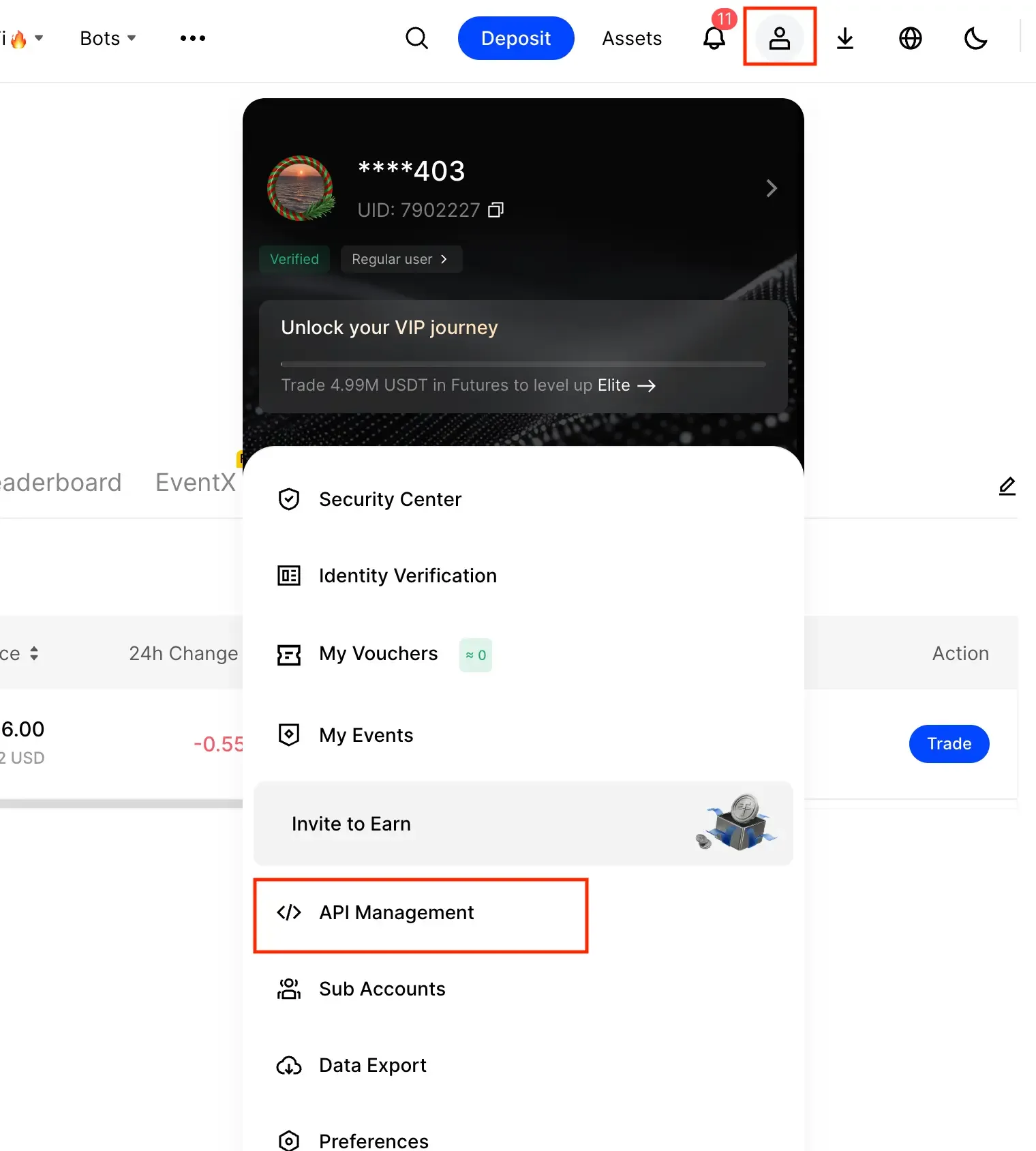
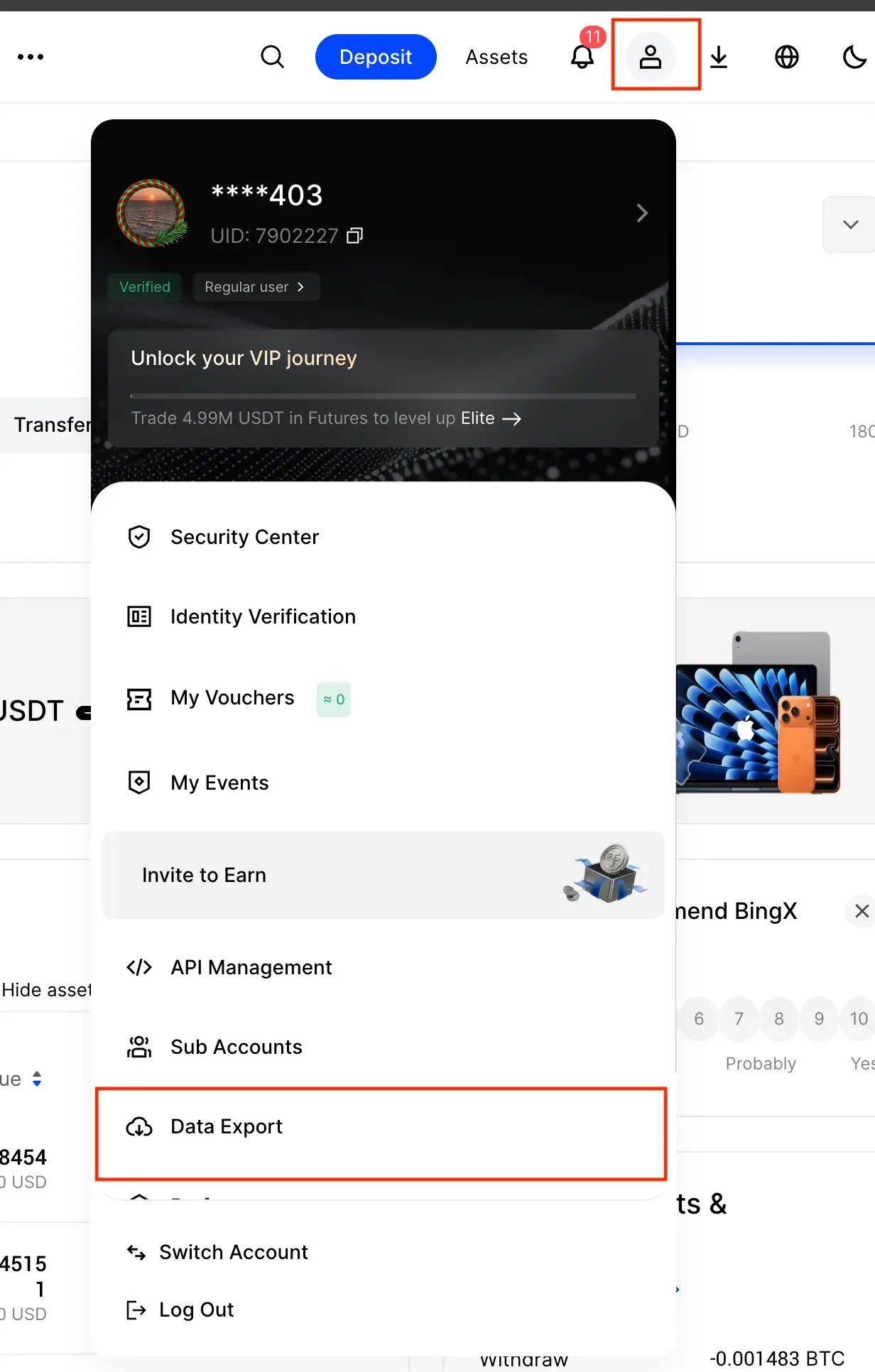
  1. Log in to BingX on desktop and open User Center → API Management.
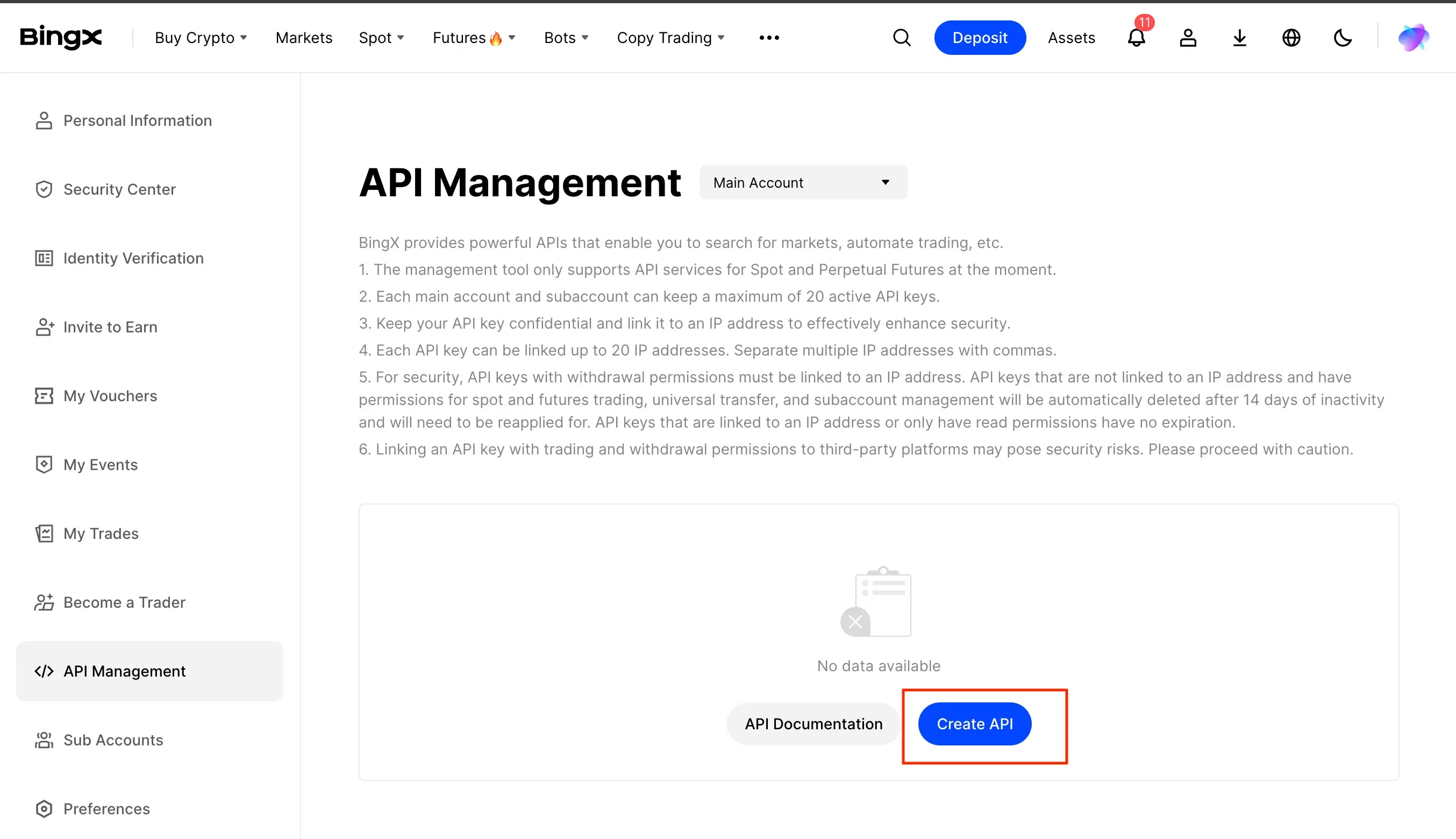
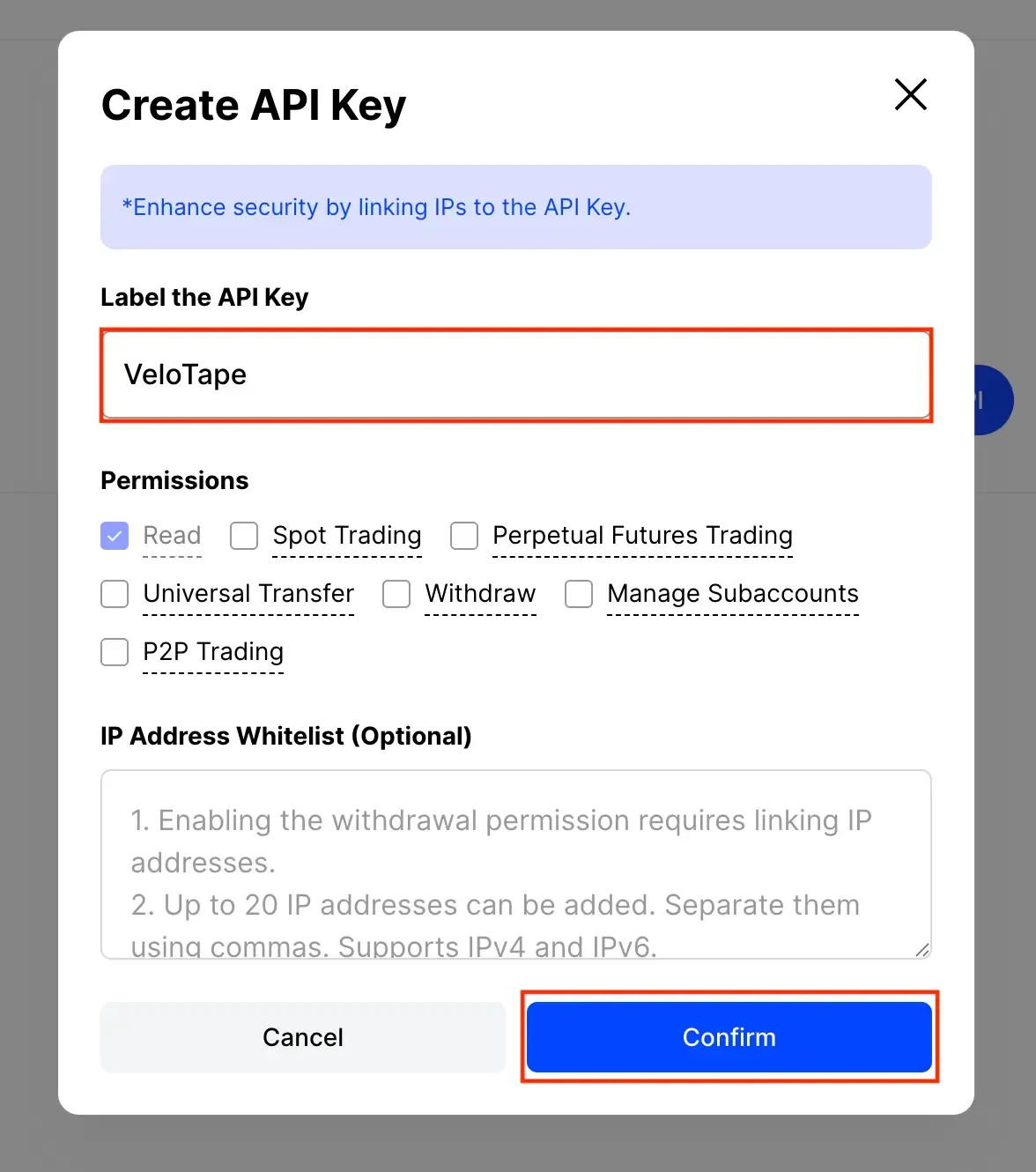
  2. Click Create API and enable Read permission only.
  3. Do not enable Trade or Withdraw.
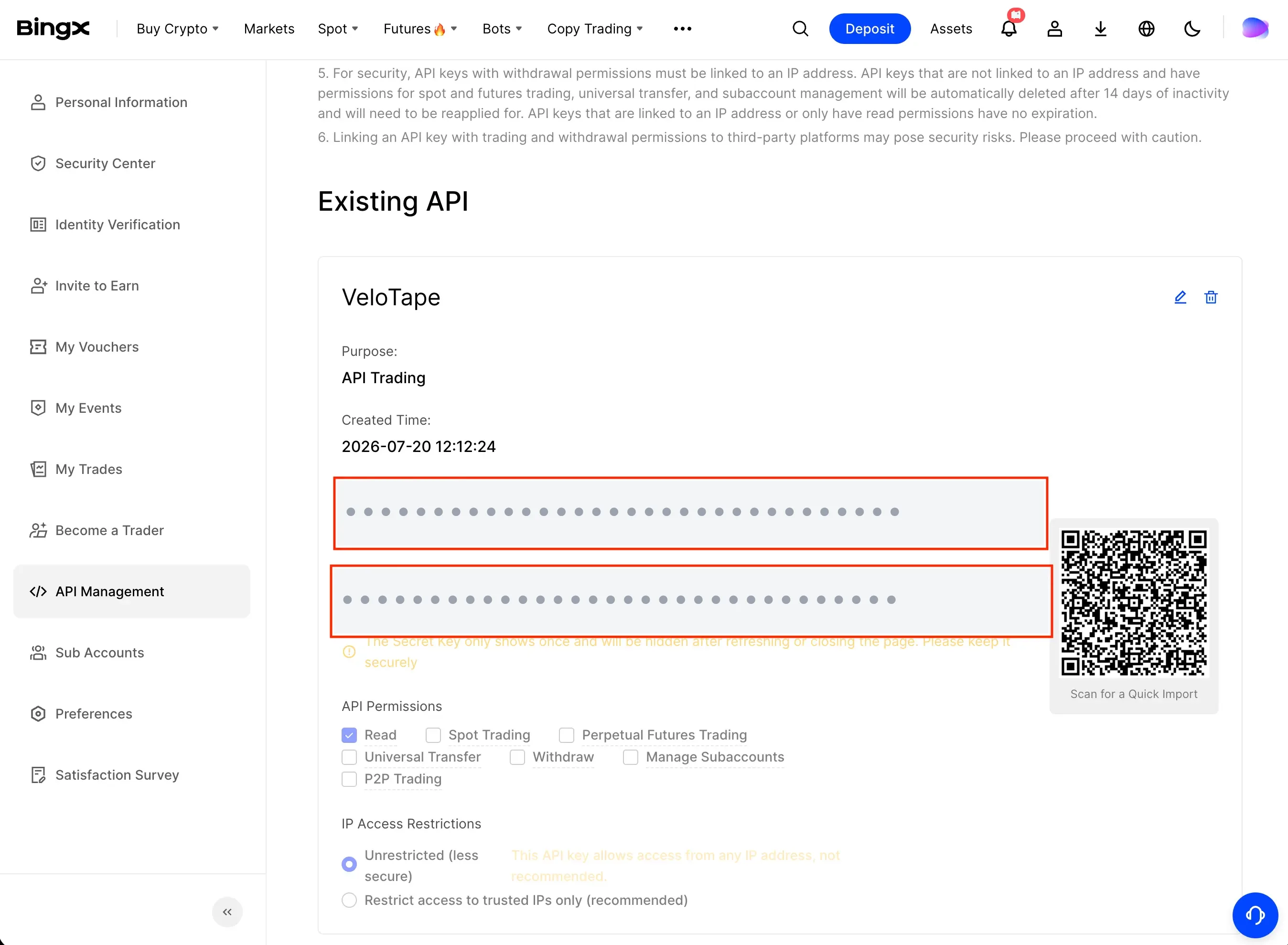
  4. Copy the API Key and Secret Key (the secret is shown once).

If BingX asks you to restrict the API key by IP address, leave that option off or empty so VeloTape can sync.

2

Connect in VeloTape

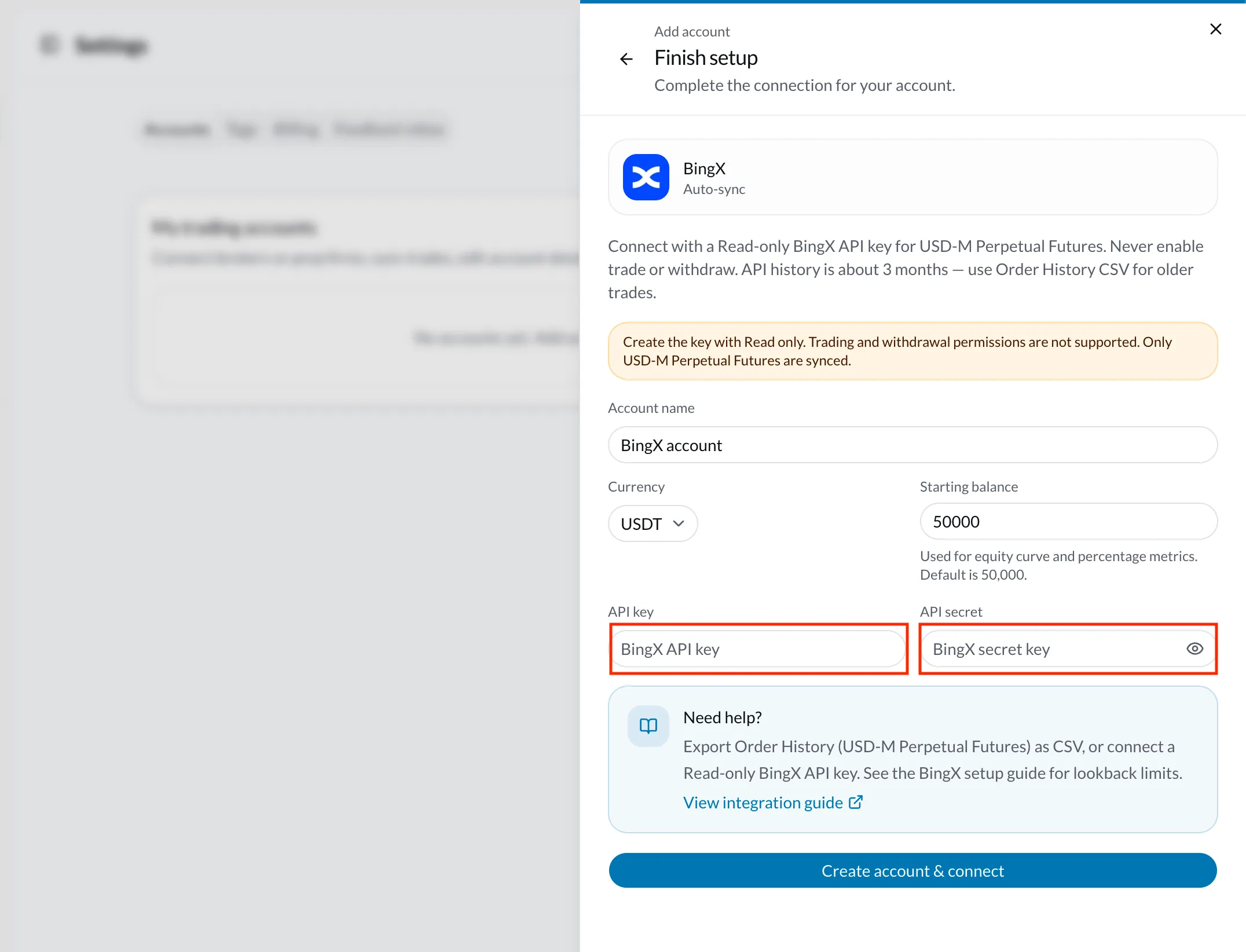
  1. Sign in to VeloTape and open Settings → Accounts.
  2. Click Add account → Exchange → BingX → Auto-sync.
  3. Enter an account name, currency (usually USDT), API key, and secret.
  4. Click Create account & connect — VeloTape encrypts the secret and syncs USD-M Perpetual fills.
3

Keep the journal up to date

  1. Use Sync now in Settings after new fills, or wait for scheduled sync.
  2. If credentials change, open Configure on the BingX account and paste a new Read-only key.
IssueWhat to try
Signature or auth errorRecreate a Read-only key, paste key and secret without spaces, and check that your system clock is accurate.
Few or no trades importedExpected outside the API lookback window. Export Order History (USD-M Perpetual) CSV and import older fills, then keep auto-sync for new activity.
Permission or IP errorsConfirm the key is Read-only. If you turned on IP restriction for the key in BingX, turn it off and try connecting again.
File upload

Import trades from BingX CSV

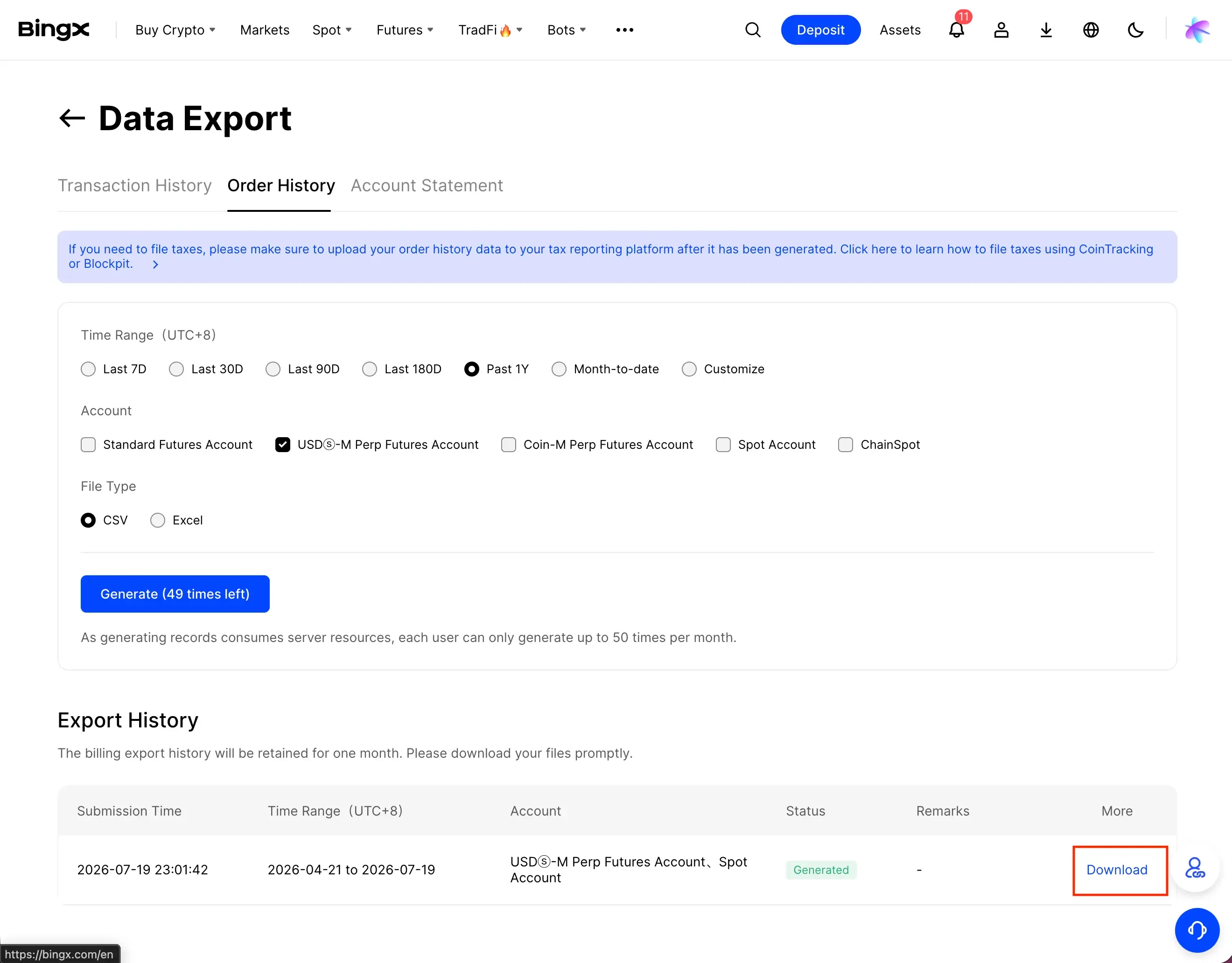
Export Order History from BingX for USD-M Perpetual Futures, convert Excel to CSV if needed, and upload the file in VeloTape to backfill history beyond API limits.

1

Export Order History from BingX

  1. Log in to BingX on desktop.
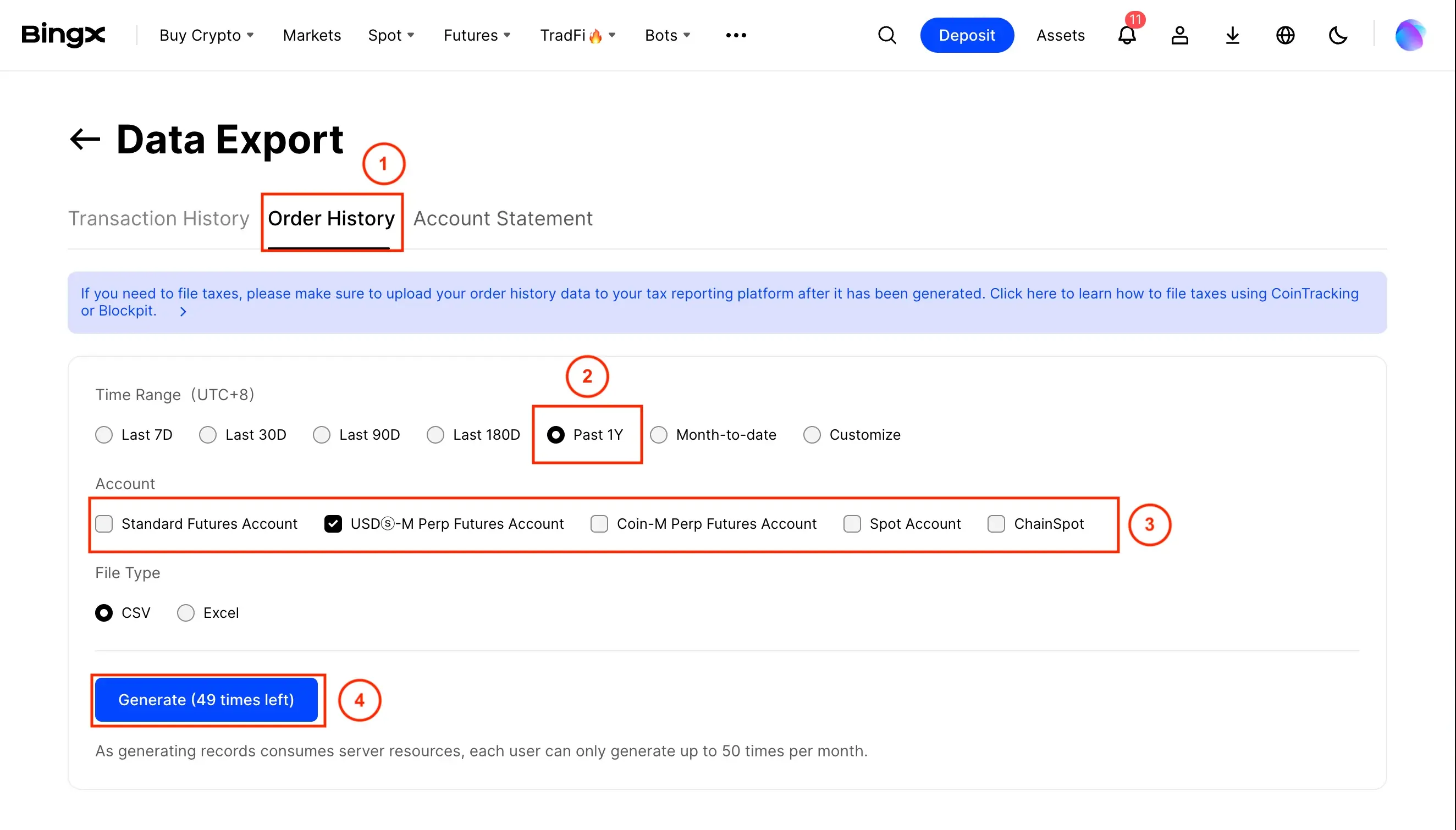
  2. Open Profile → Data Export.
  3. Choose Order History (recommended) for your time range.
  4. Select USD-M Perpetual Futures — do not use Spot exports.

Order History includes fill prices and quantities. This is the preferred CSV format for VeloTape.

2

Save as CSV if needed

  1. If BingX gave you an Excel file, open it and Save as CSV (UTF-8).
  2. Do not rename required columns before upload.
3

Upload the CSV in VeloTape

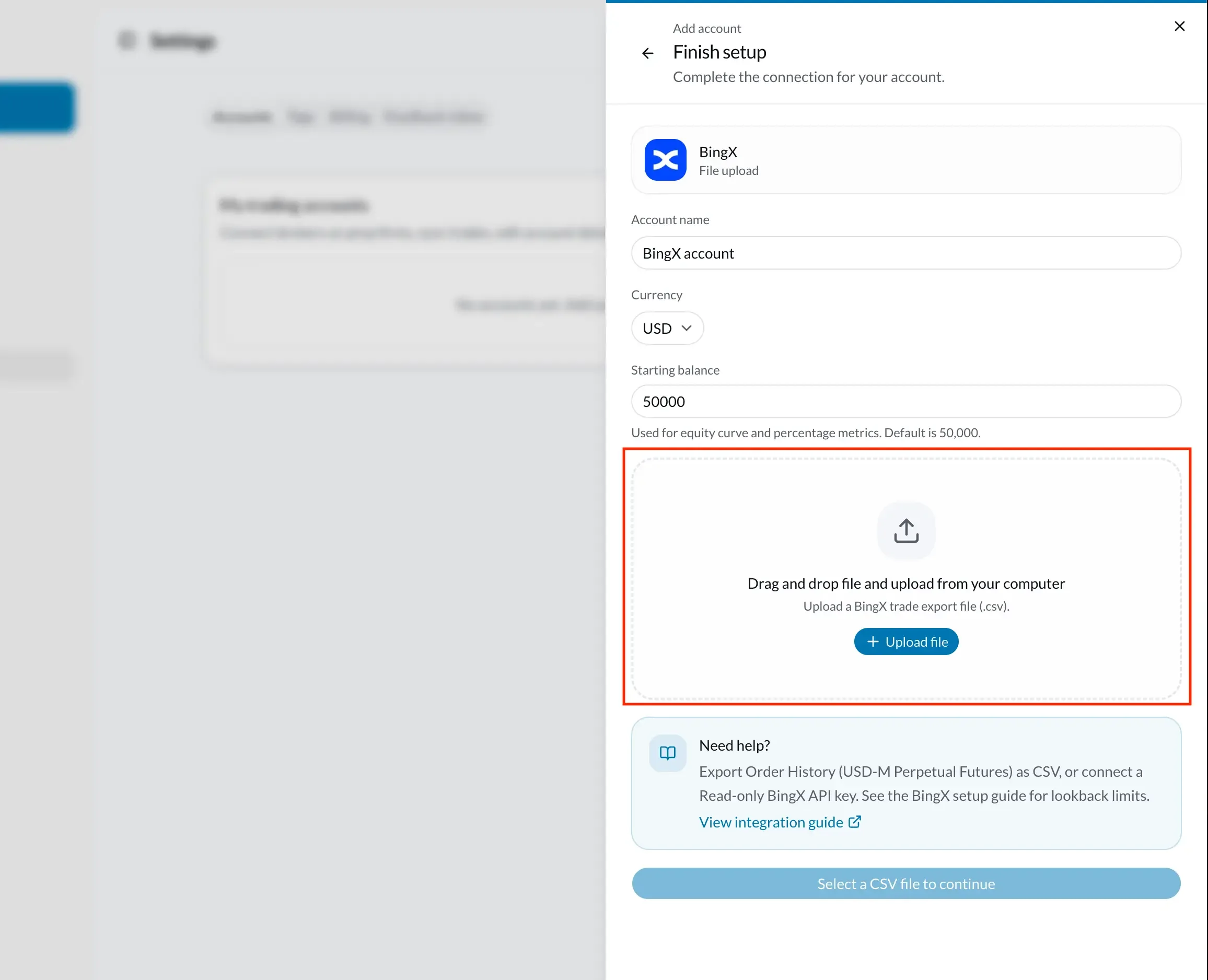
  1. Open Settings → Accounts → Add account (or Import CSV on an existing BingX account).
  2. Choose Exchange → BingX → File upload if creating a new account.
  3. Enter the account name, currency, and starting balance.
  4. Select the Order History CSV, review the preview, and confirm the import.

Transfers and funding fees are skipped. Directions such as Buy, Sell, Open Long, and Close Short are supported.

IssueWhat to try
CSV not recognizedUpload an Order History export for USD-M Perpetual Futures with Trading Pair, Direction, Filled Quantity, and Average Price.
XLSX rejectedConvert the file to CSV UTF-8 before uploading.
0 trades importedConfirm the file has filled order rows from Order History (USD-M Perpetual), not only deposits, transfers, or Spot.

Frequently asked questions

Should I use API sync or CSV?
Use Order History CSV to backfill older history, then connect a Read-only API key for ongoing USD-M Perpetual sync. API lookback is about 3 months.
Which markets are supported?
USD-M Perpetual Futures only. Spot is not imported via API or as the recommended CSV path.
Which API permissions are required?
Read only. Never enable trading or withdrawal on keys you paste into VeloTape.
Are funding fees imported?
No. Funding payments, deposits, withdrawals, and transfers are not imported as journal trades.
Does re-sync create duplicate trades?
No. Fills are keyed with stable external IDs so re-syncing the same history updates existing rows instead of duplicating them.
Is copy trading supported?
Not in v1. USD-M perpetual account fills are supported; copy-trading follower feeds are deferred.

Importuj transakcje z innych brokerów i platform w tym samym prowadzonym procesie.

VeloTape is not affiliated with BingX. Any use of BingX names or logos on this page is for informational purposes only and does not imply endorsement. Cryptocurrency trading involves substantial risk.